From density to
structural models.
CryoNet, your hub for
3D fitting review
Upload a cryo-EM density region, search structural databases for shape-similar proteins, and inspect local fitting results for candidate models. No registration or login is currently required.
Before you start
Use a density region with complete boundaries. Preserve the correct voxel size, axes, and origin. Incorrect map headers affect both display and fitting. The current page states a maximum file size of 2 GB; follow the live server notice.
| Database | Displayed size | Recommended use |
|---|---|---|
| CATH | 5.7K domains / 78K structures | CATH domain-level identification |
| SCOPe | 4.0K domains / 29K structures | SCOPe domain-level identification |
| PDB50 | 5.5K clusters / 520K structures | Broader PDB single-chain space |
| AFDB Cluster | 30.0M chains / structures | AlphaFold DB predicted structures |
| MGnify-ESM30 | 36.9M chains / structures | Metagenomic predicted structures |
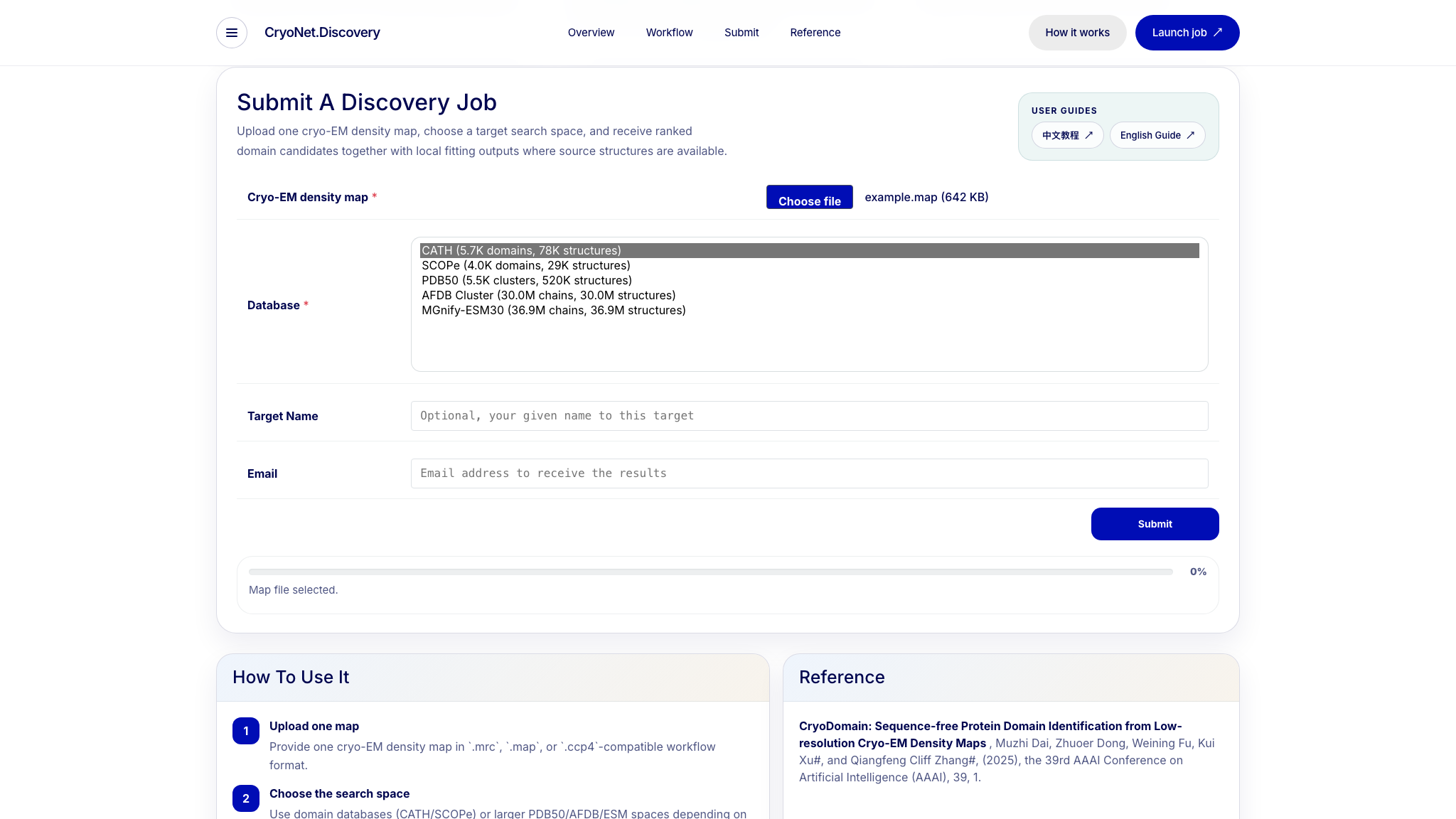
Choosing a database
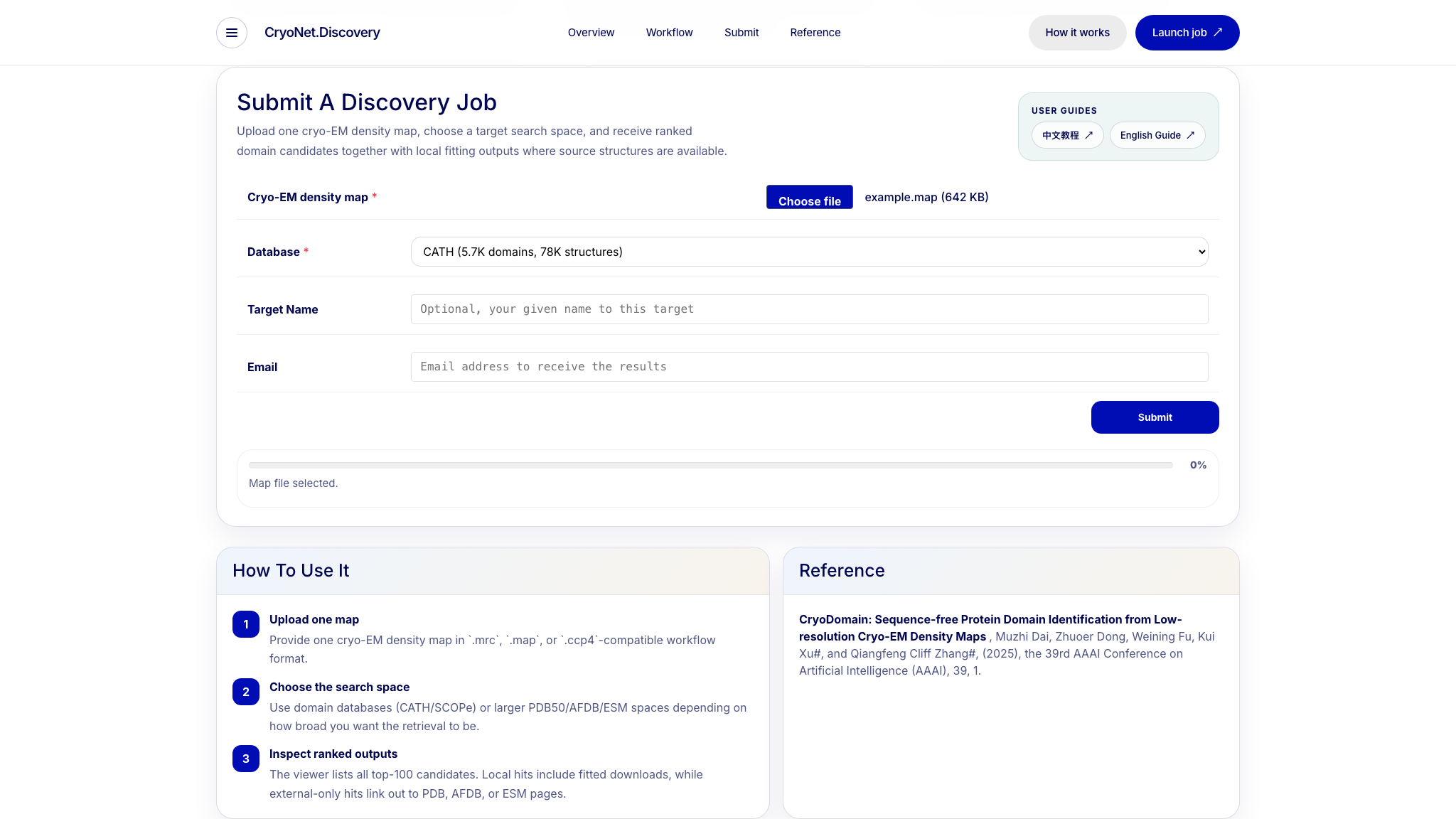
Submit a job
- Click Choose file under Cryo-EM density map.
- Select the search Database.
- Optionally enter a Target Name and notification Email.
- Click Submit and keep the page open during upload.
Track progress
The upload bar shows a percentage. After job creation, the page displays status, a Stop button, and a Visualize and download results link. The blue string is the unique Job ID; clicking it opens Results Viewer in a new tab.
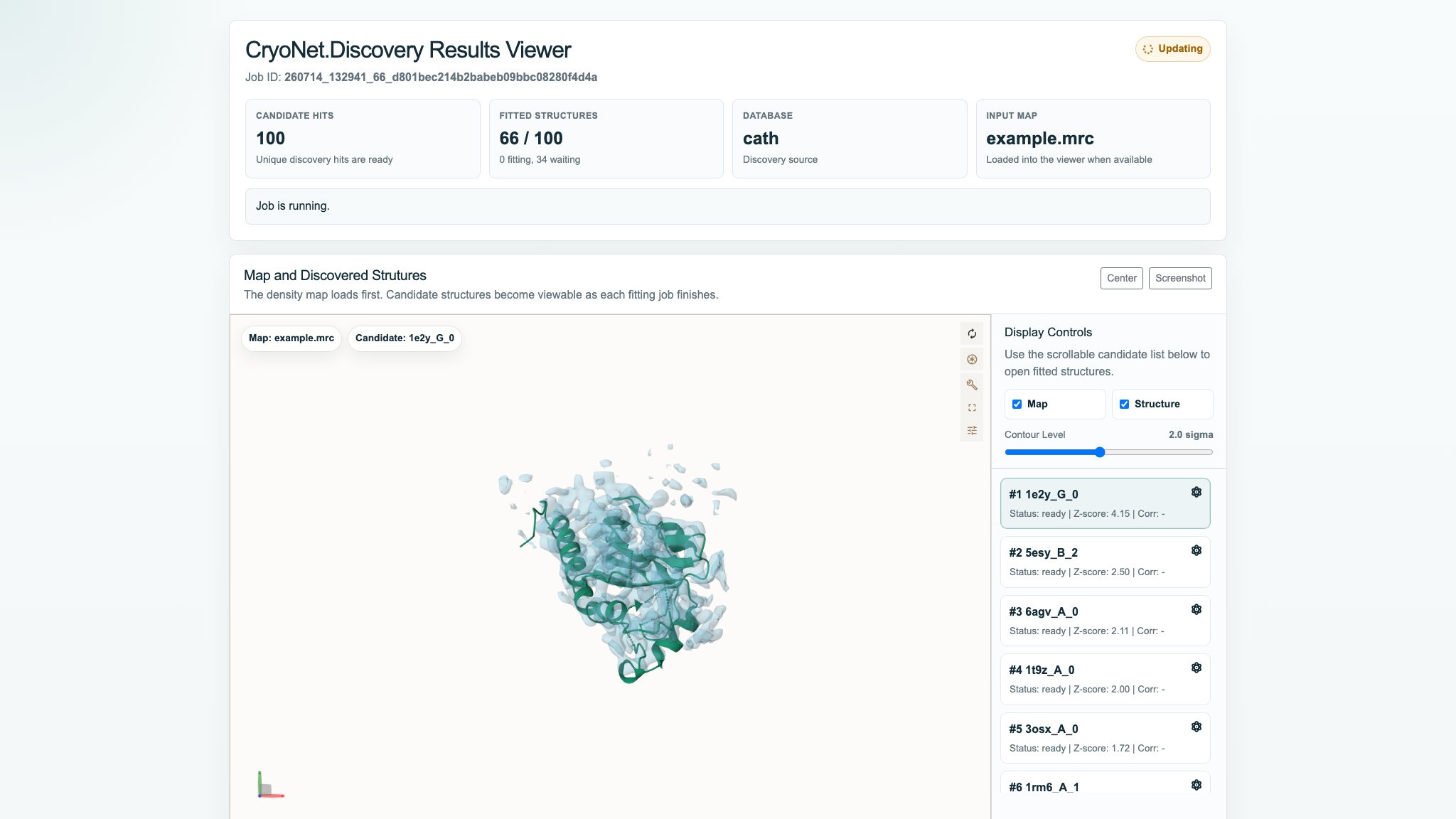
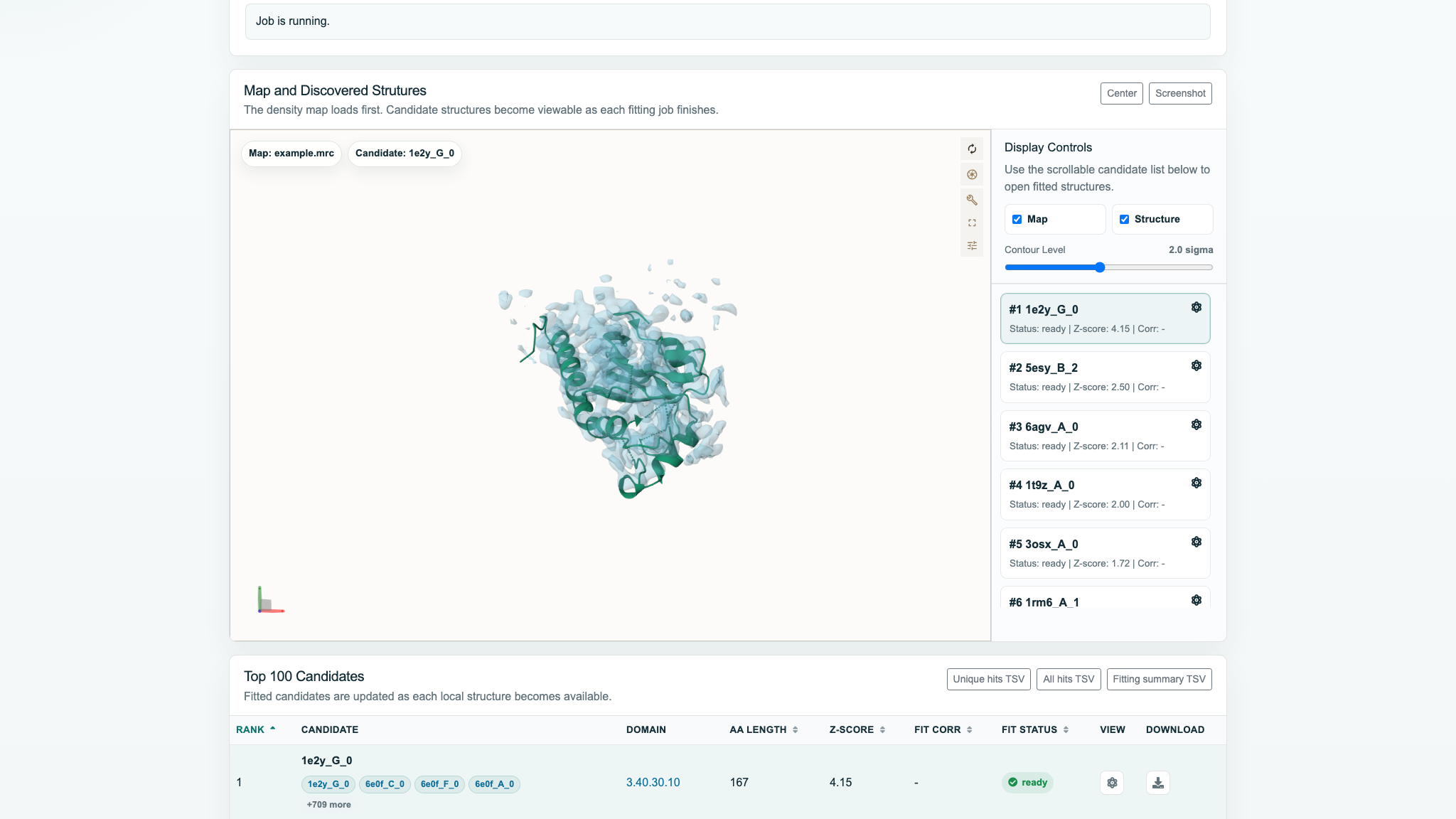
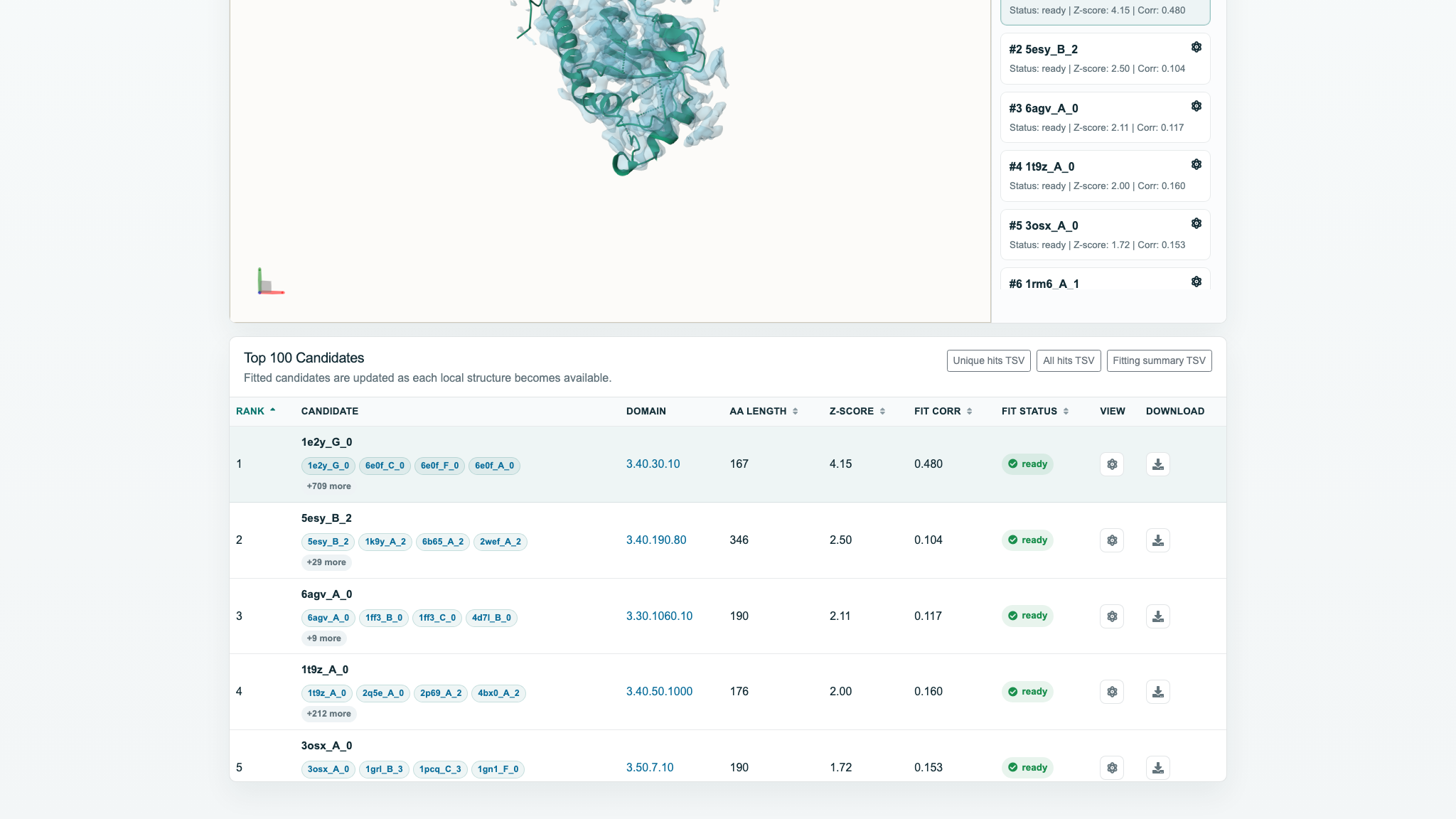
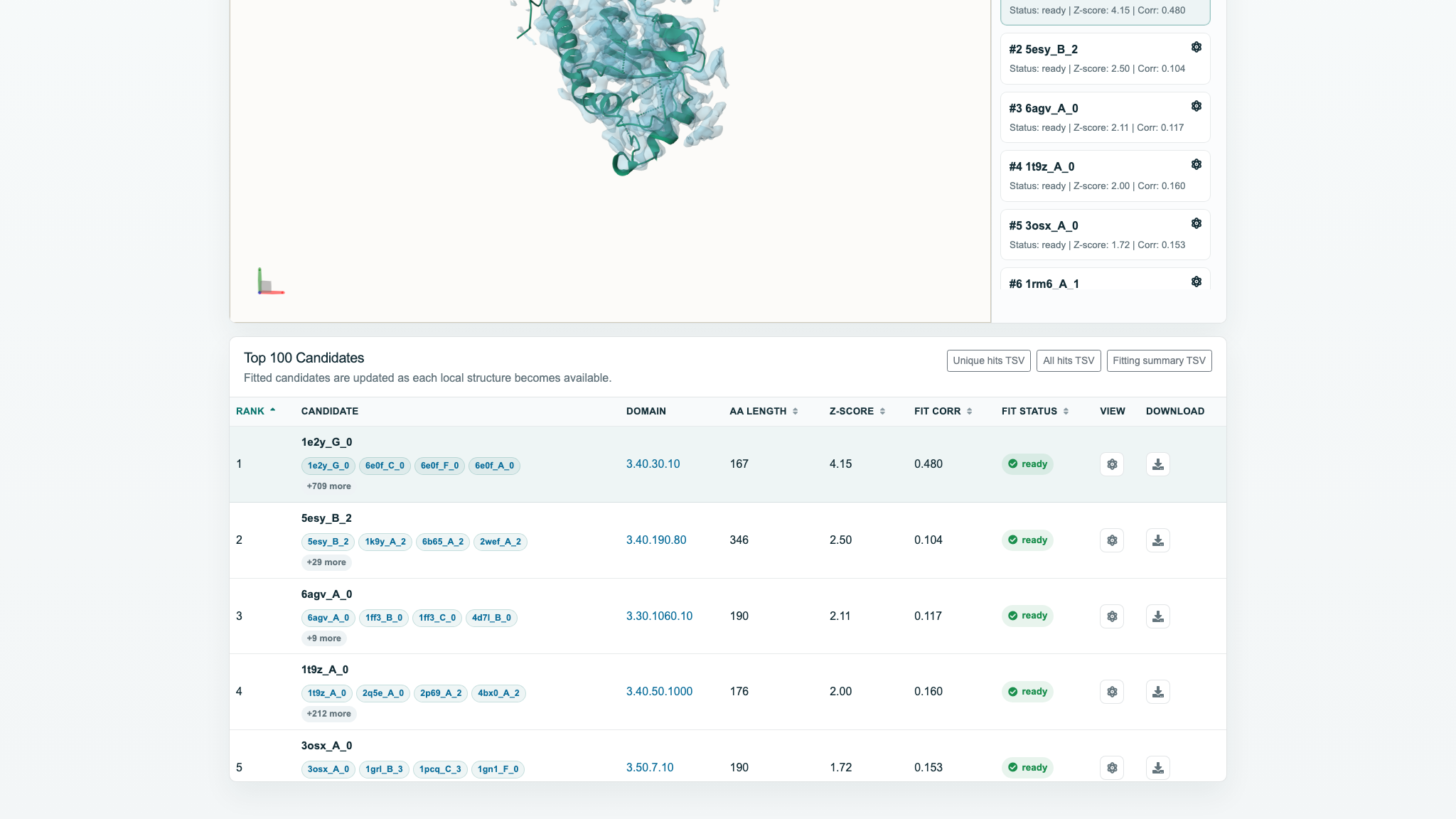
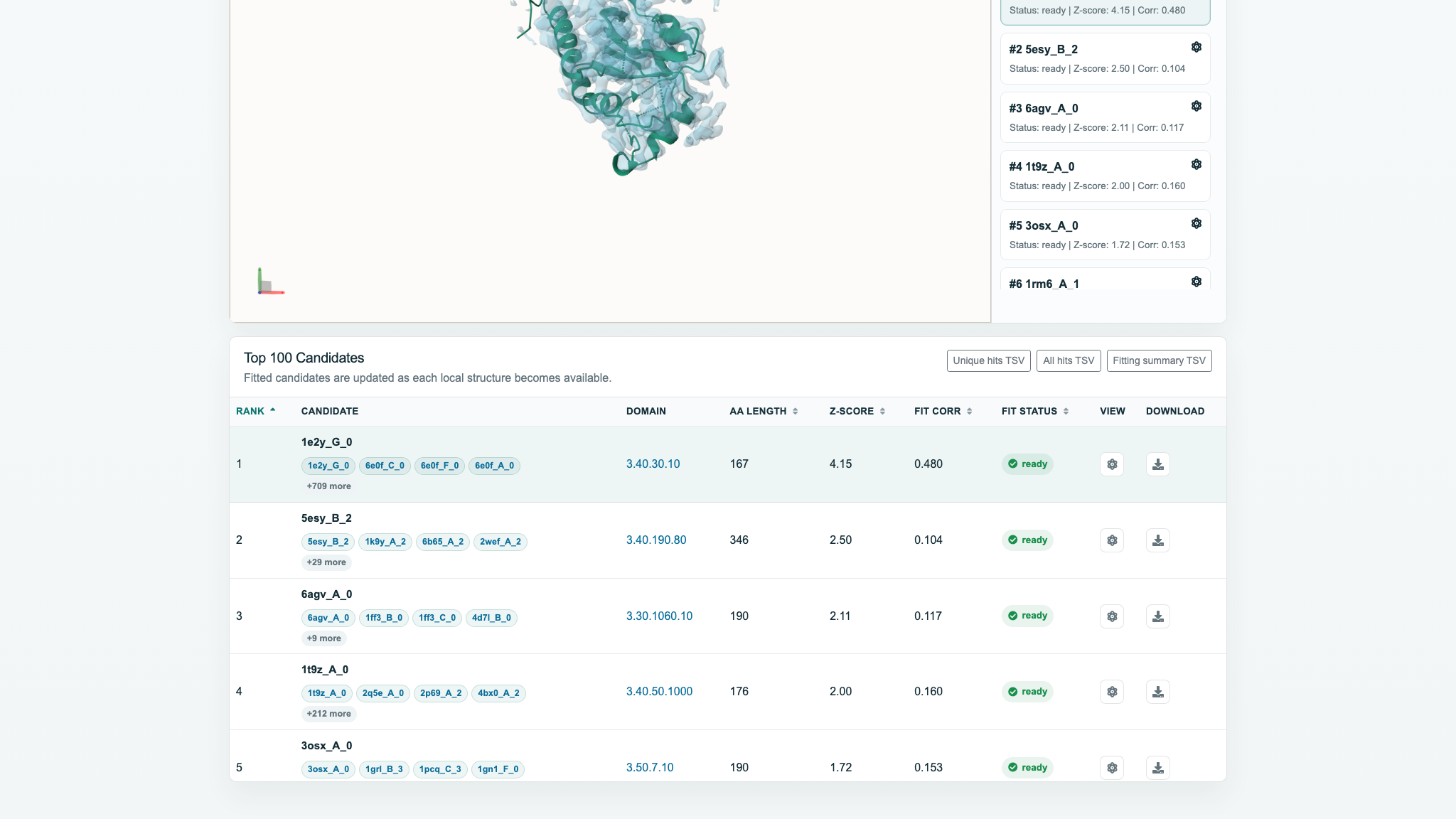
example.map was submitted to CATH as Job 260714_132941_66_d801bec214b2babeb09bbc08280f4d4a. It completed in about 338 seconds with 100/100 candidates fitted. Top 1 was 1e2y_G_0 (Z-score 4.15002; CATH 3.40.30.10). Runtime depends on the file, database, and queue.fit_corr is still being populated. If Corr remains “-” after completion, refresh the page.Results Viewer overview
The top cards show Job ID, Candidate Hits, Fitted Structures, Database, and Input Map. Updating or Job is running means the page is still refreshing. Retrieval can finish before all fitting jobs move from waiting/fitting to ready.
The candidate is queued for fitting.
The local model-to-density fit is running.
The candidate can be opened in the viewer.
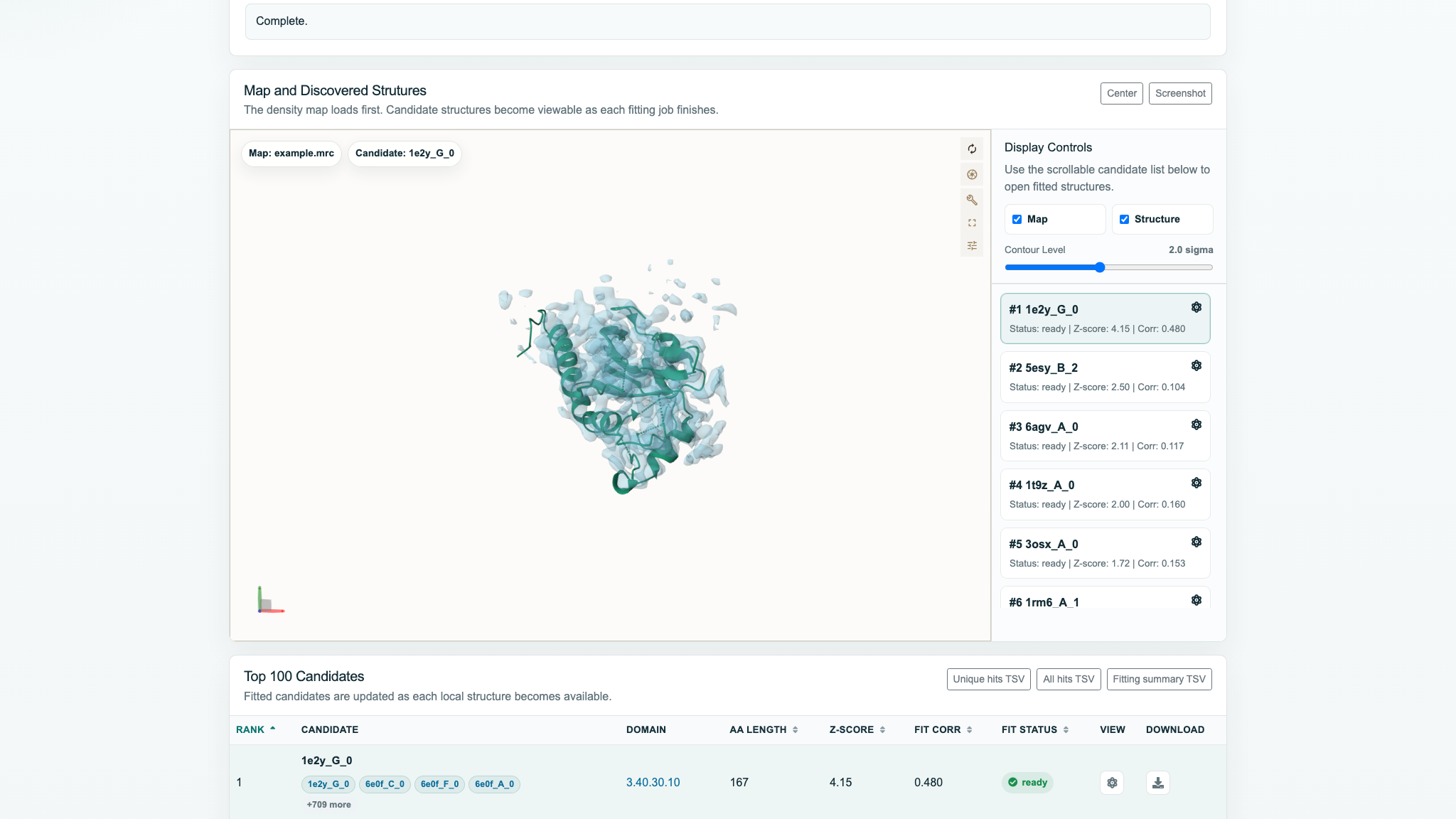
Inspect the map and fitted structures
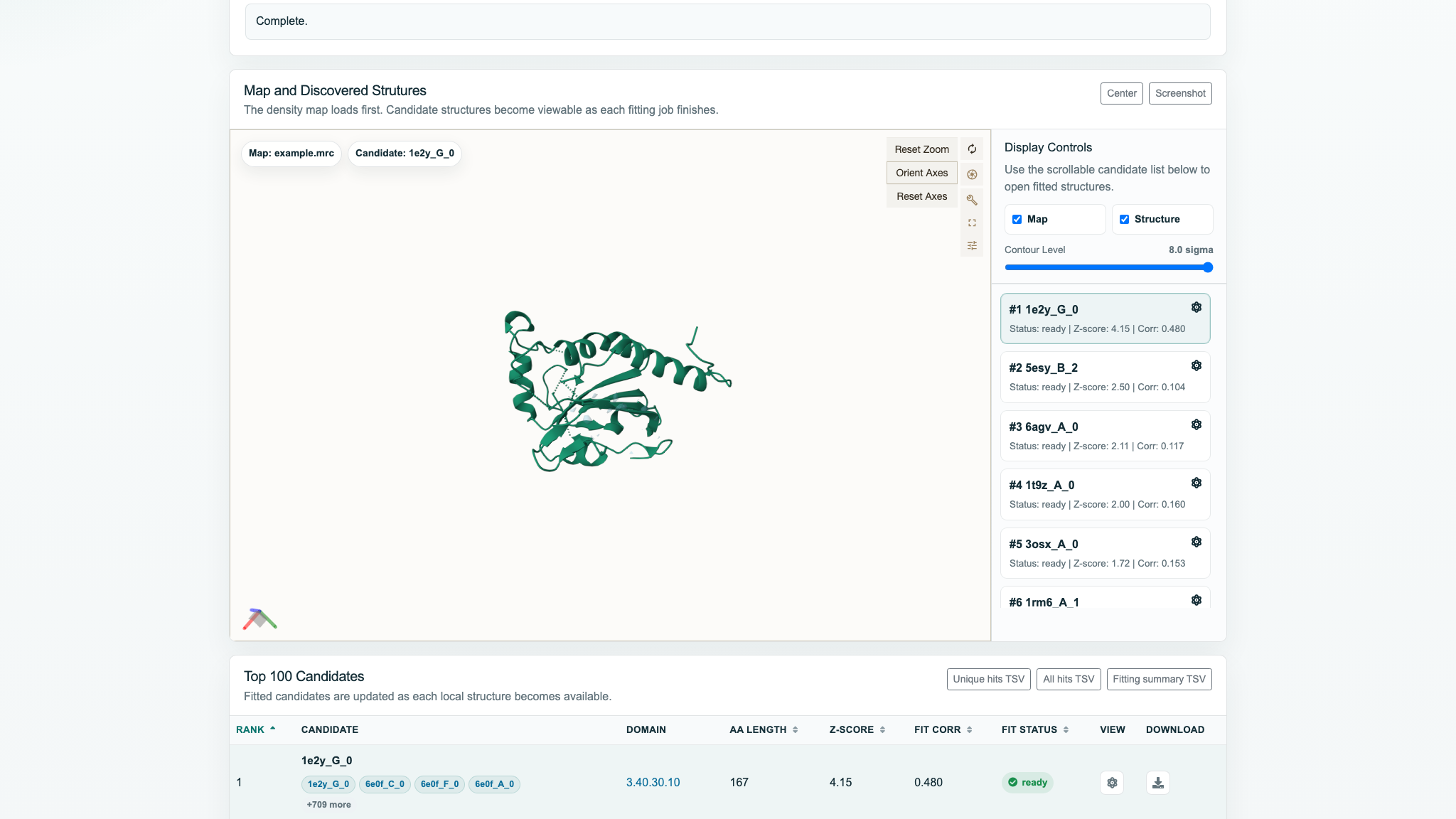
- Click a ready candidate in the right-hand list to load it.
- Map and Structure independently control visibility.
- Contour Level changes the map isosurface in sigma units.
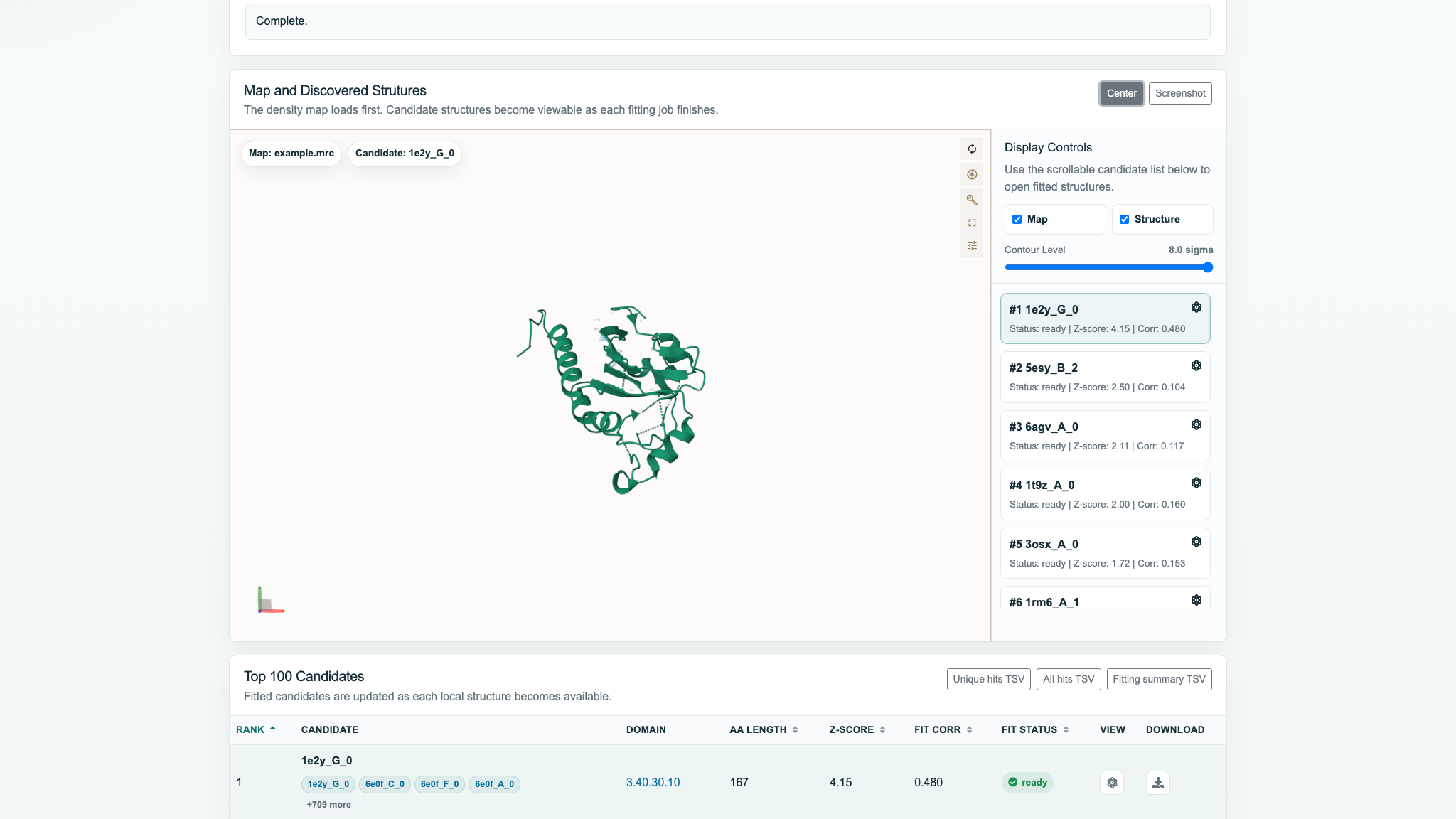
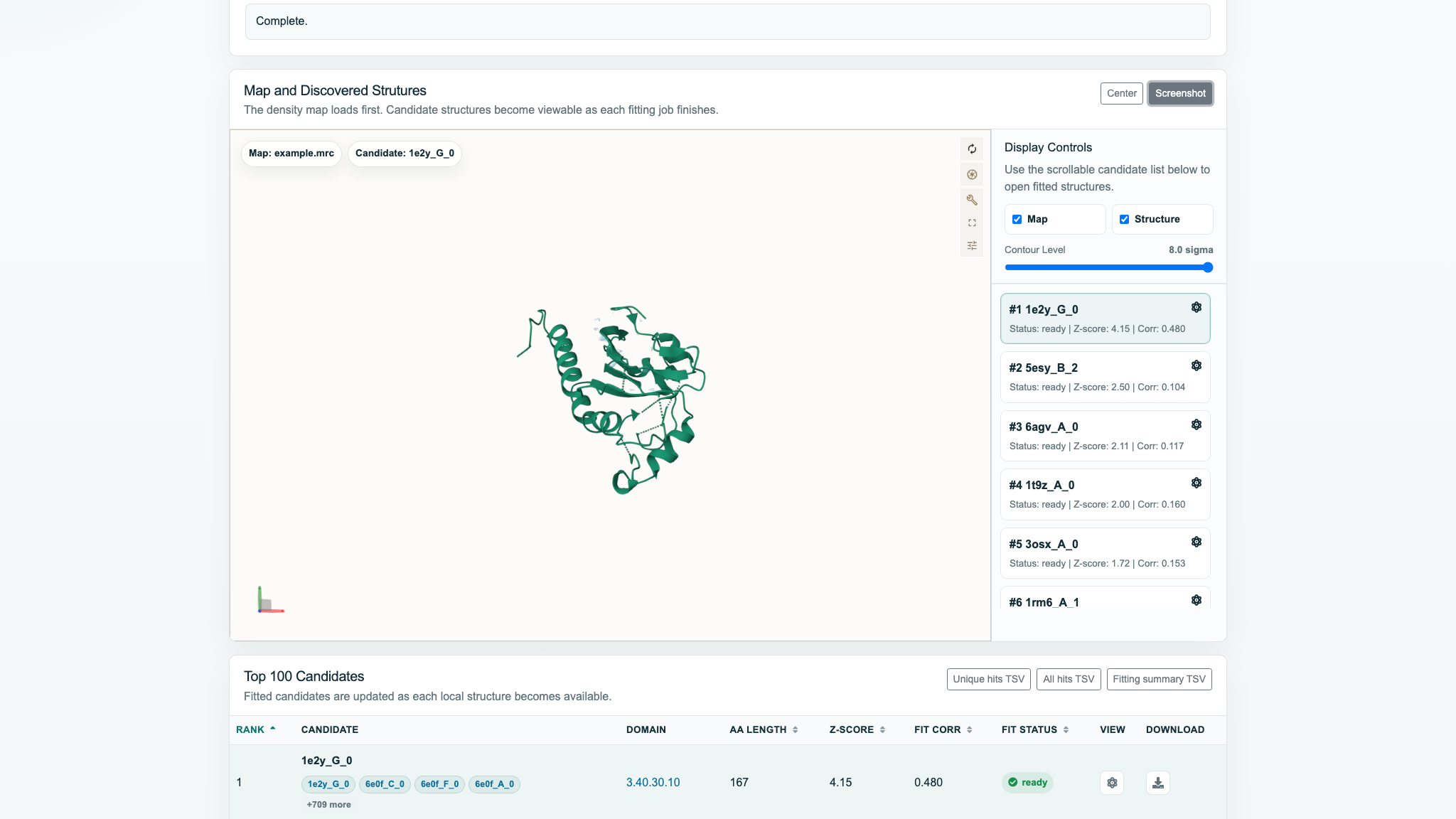
- Drag to rotate, scroll to zoom, use Center to refocus, and Screenshot to save the current canvas.
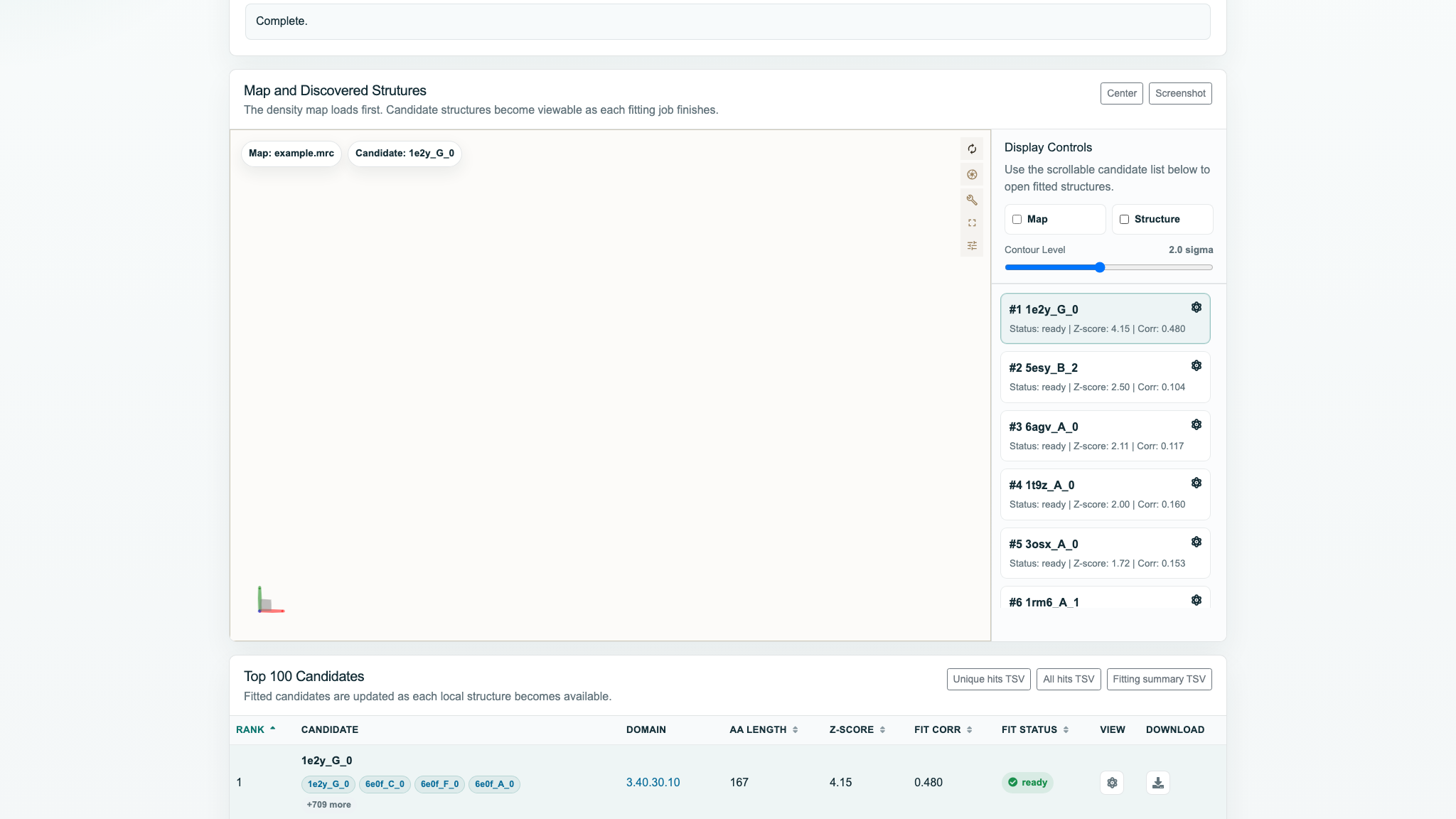
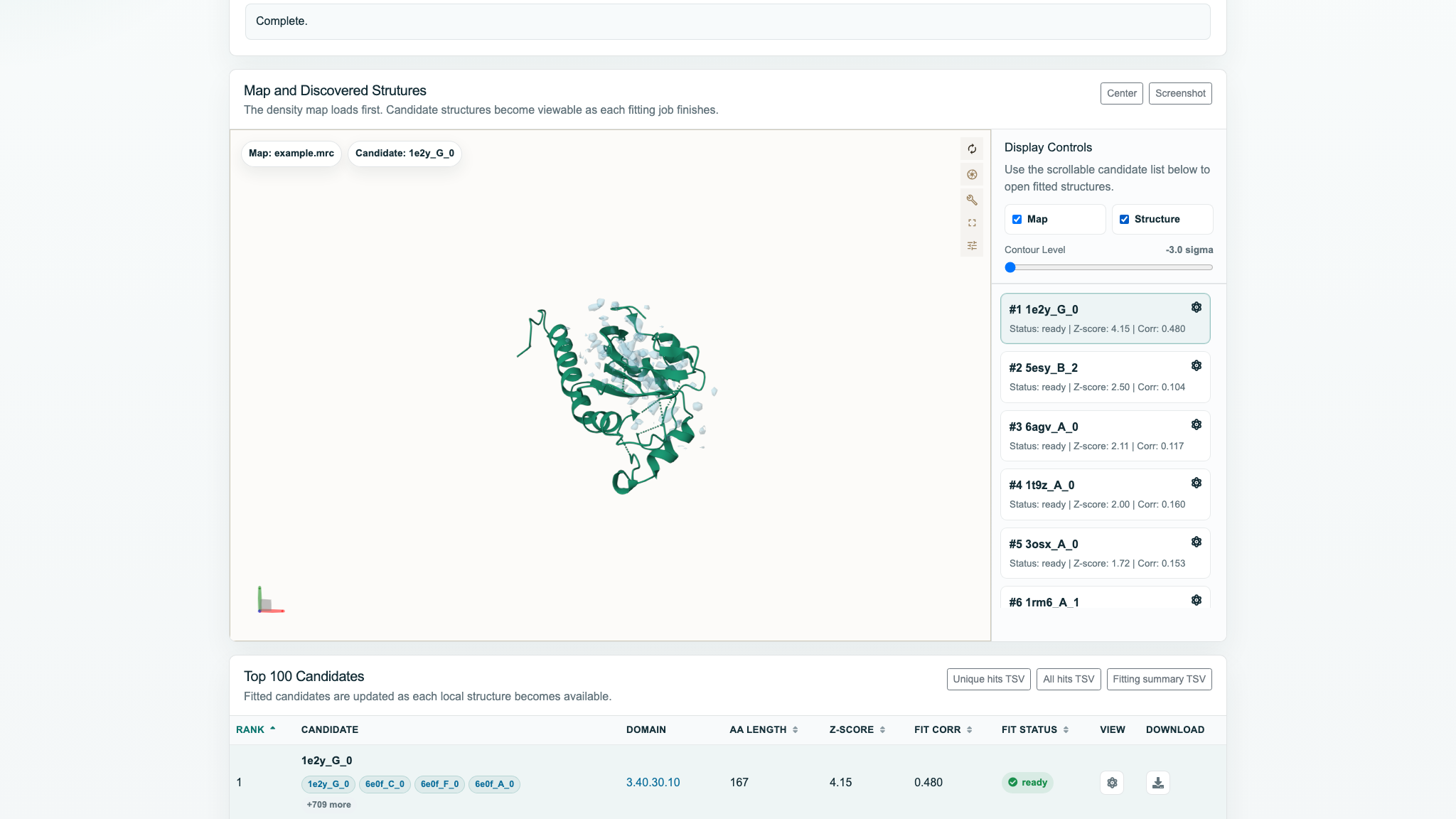
Four Map / Structure combinations
The checkboxes only change visibility; they do not unload data. Changing candidates replaces the current structure but preserves the map. If Structure is off, a newly selected candidate also stays hidden.
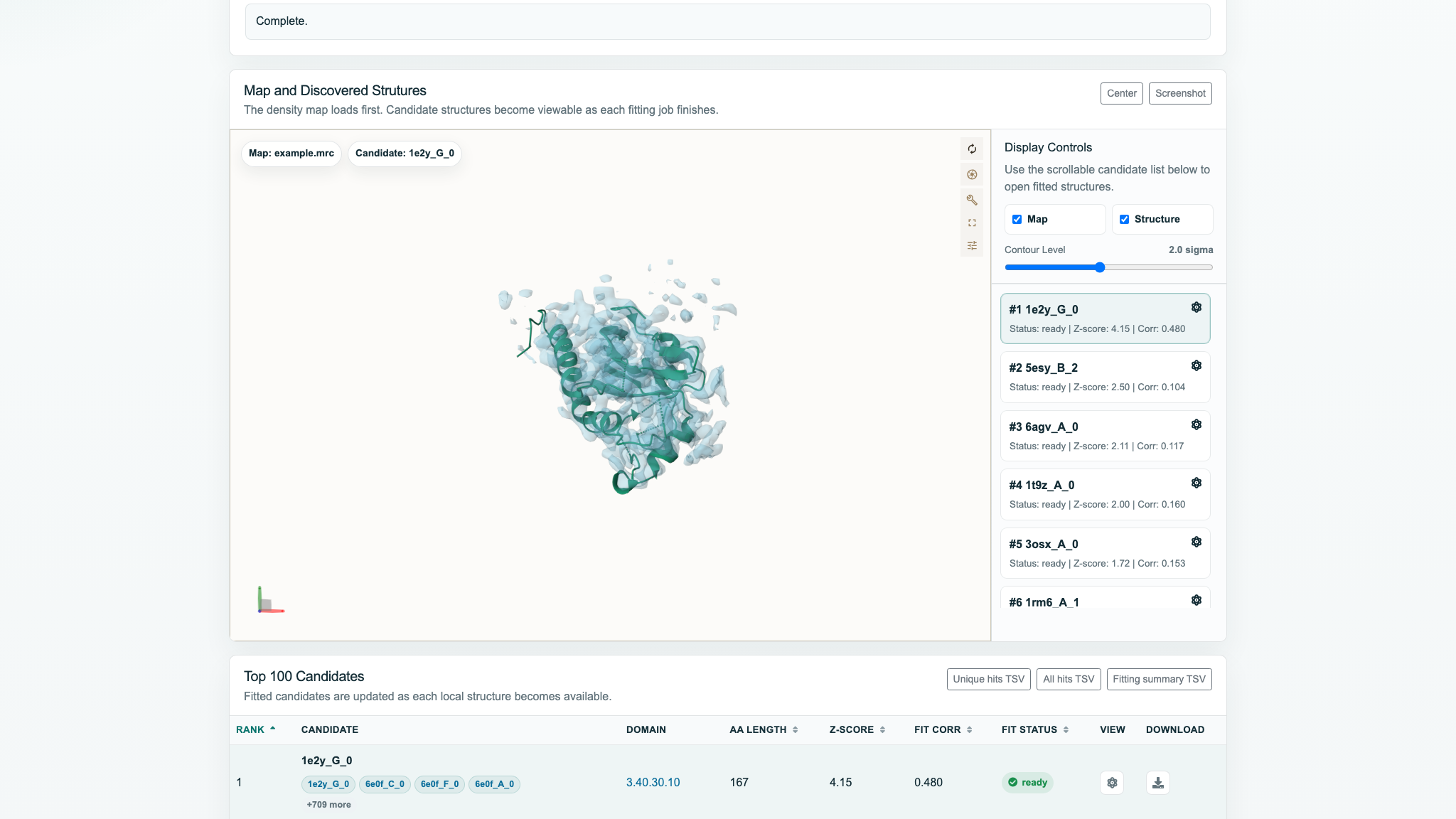
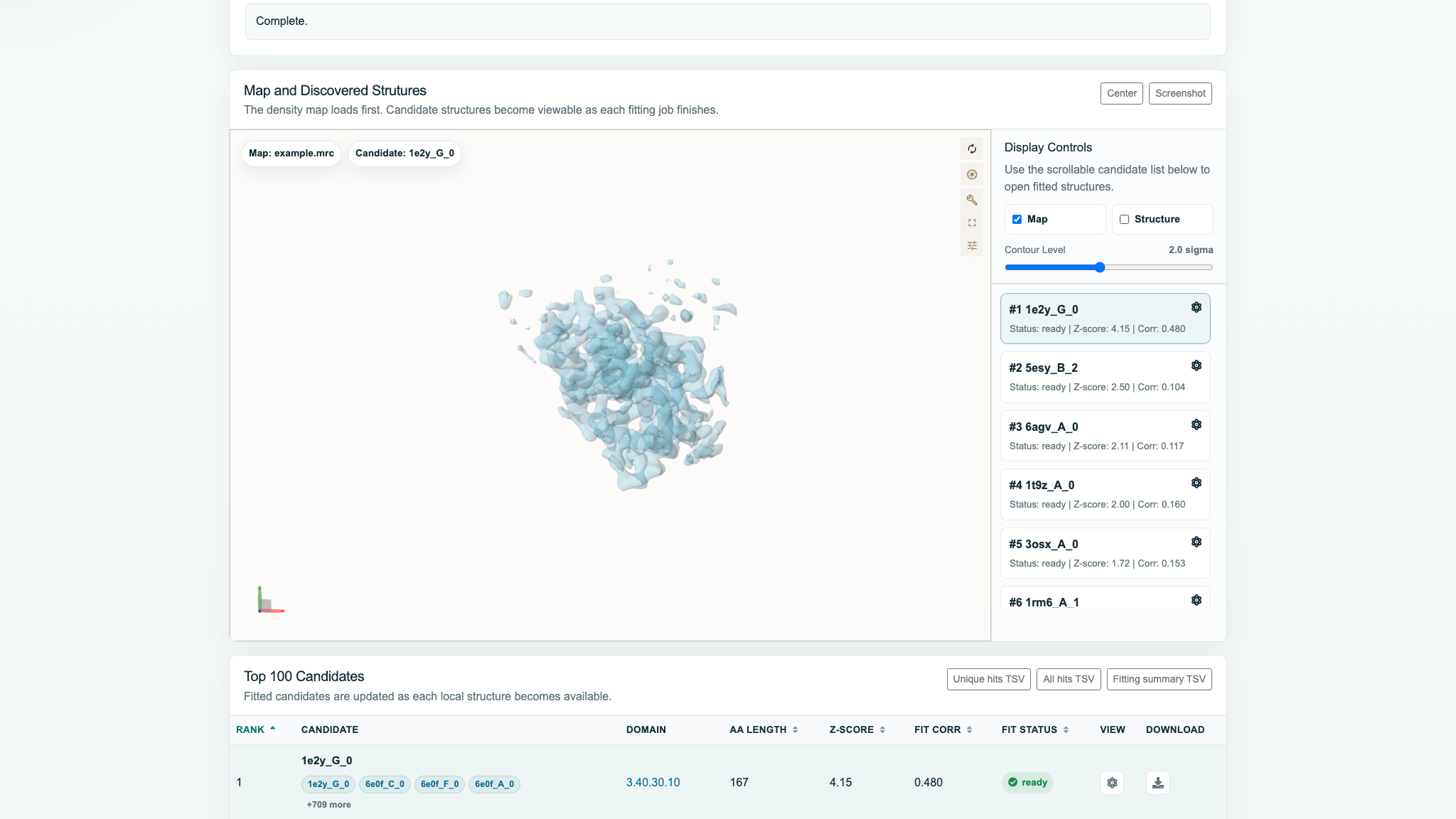
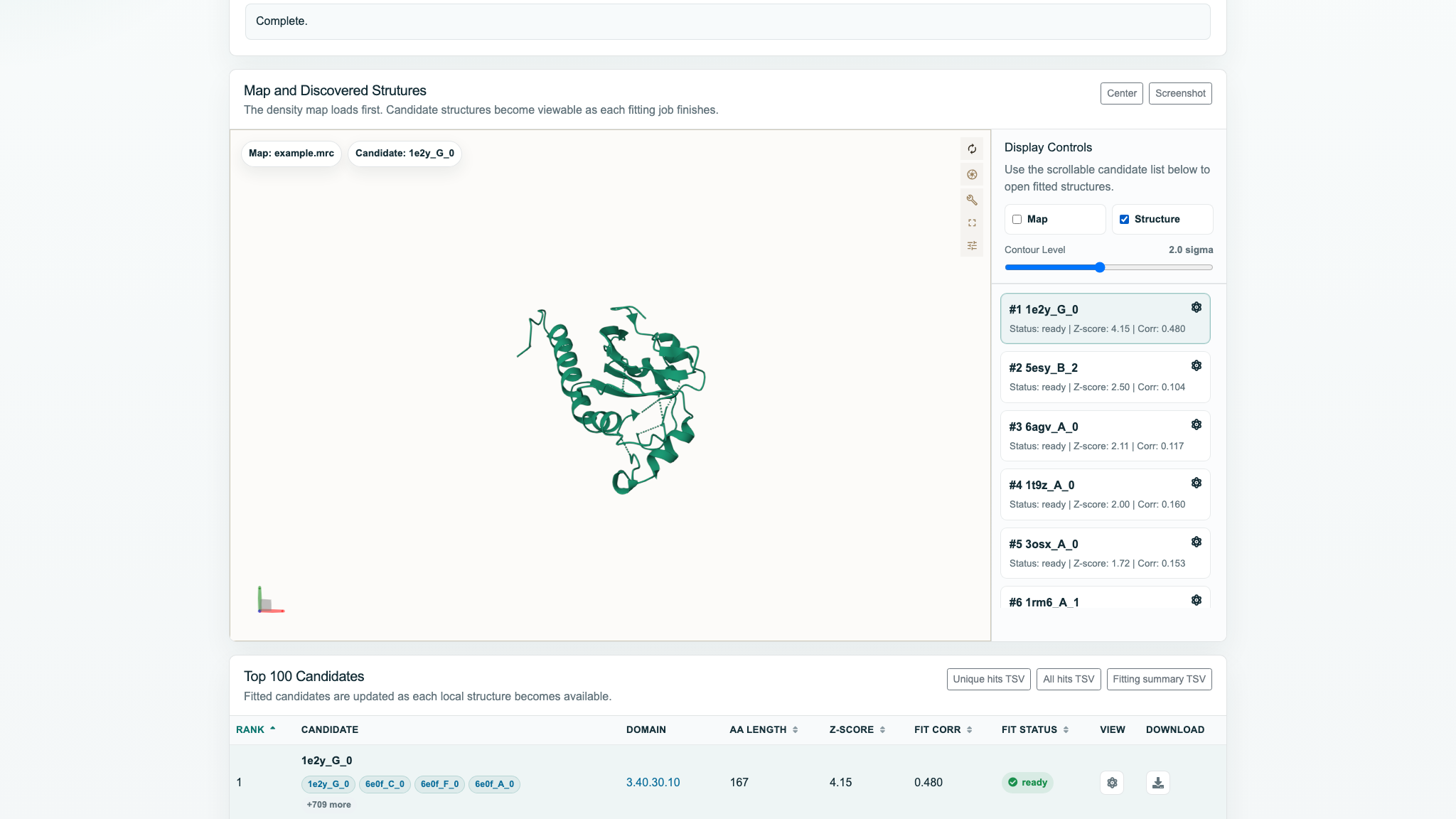
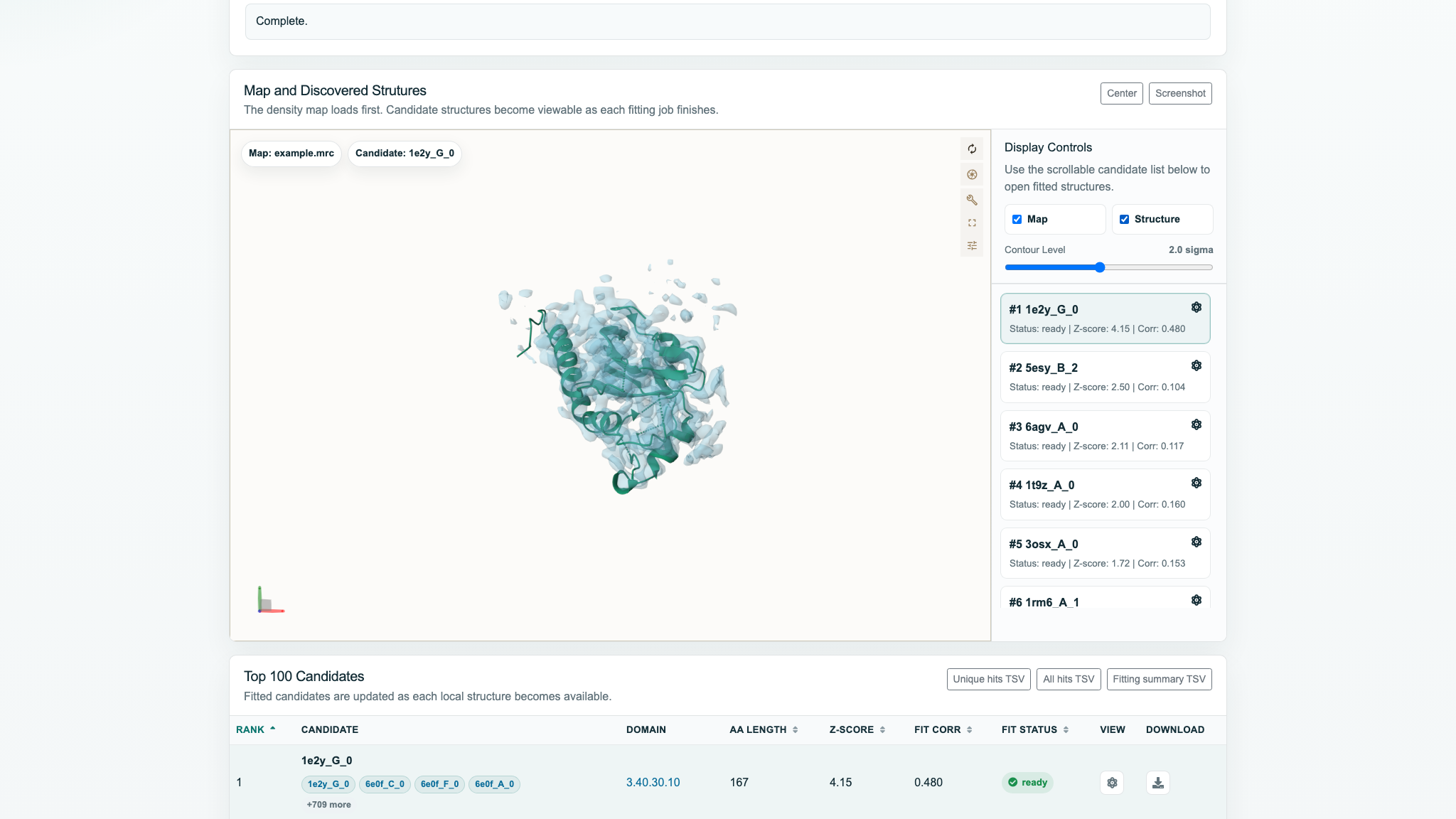
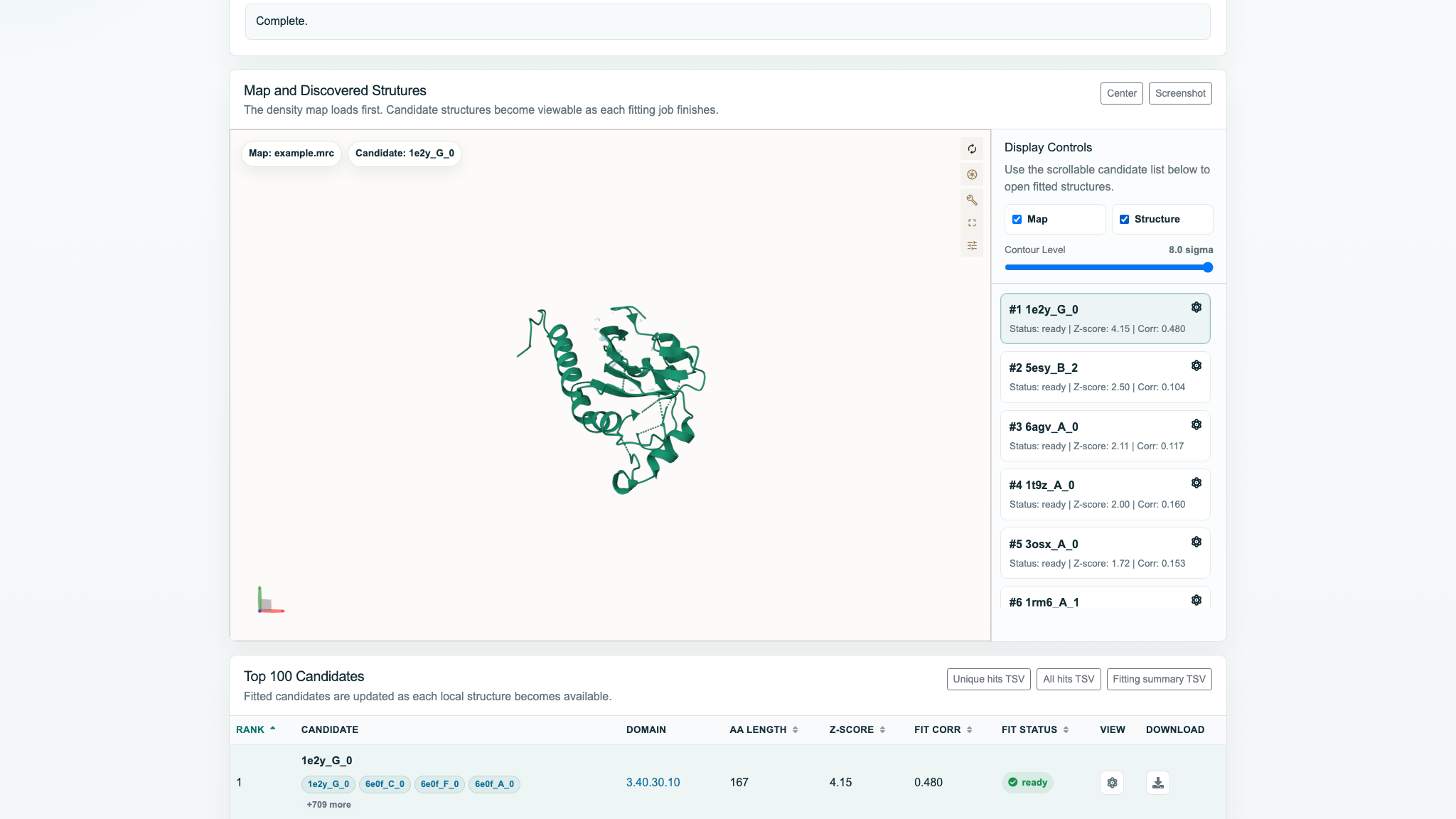
Contour Level
The range is −3.0 to 8.0 sigma, the step is 0.1, and the default is 2.0. Updates are rendered immediately. Lower values show more weak/background density; higher values retain only strong-density cores.
Center and Screenshot
Center refocuses with a 600 ms animation and prioritizes the map isosurface bounds. Even with Map hidden, it may frame the map rather than the structure alone. Screenshot exports the 3D canvas as <Job ID>_cryonet_discovery.png.
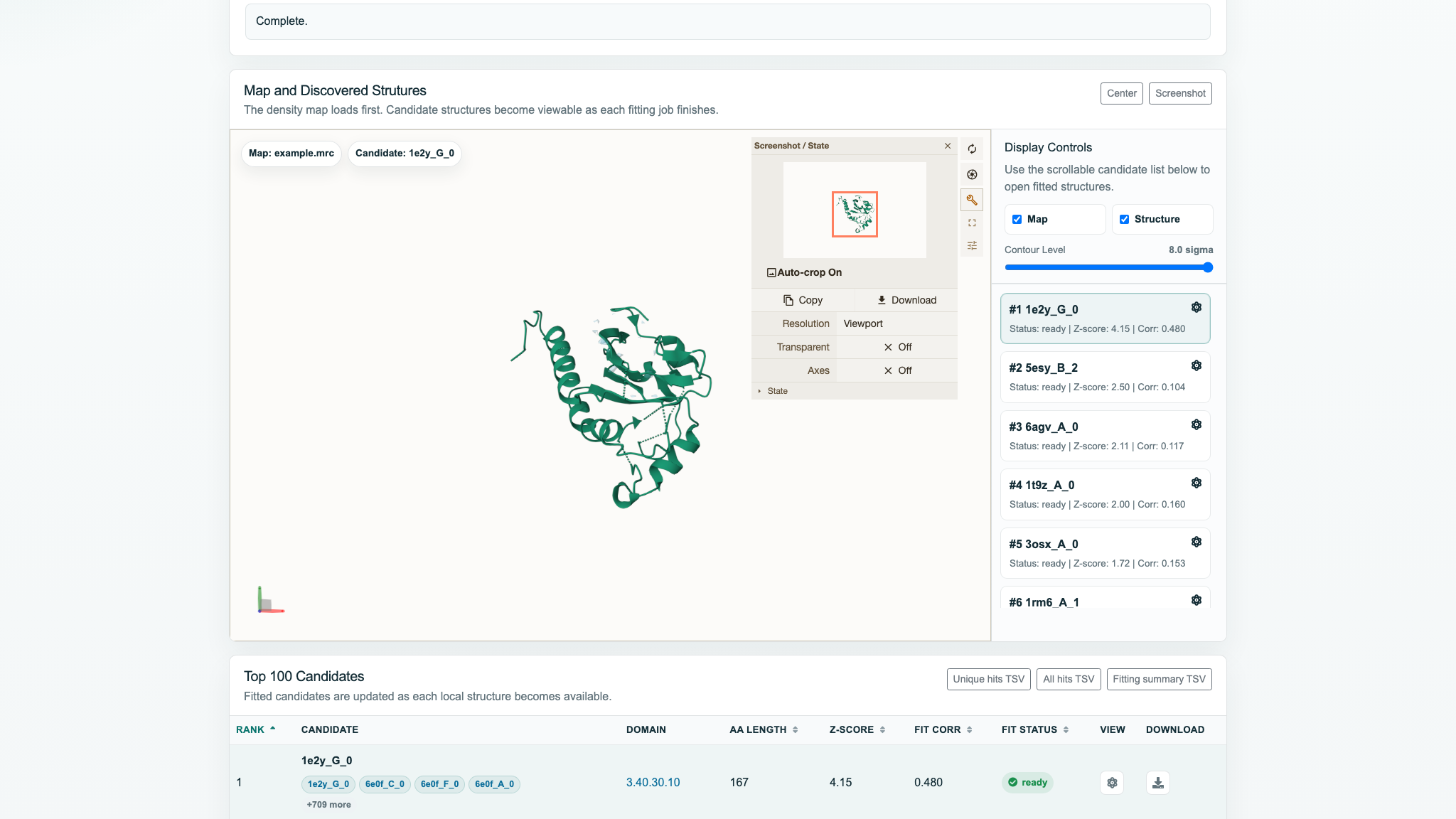
Native Mol* toolbar
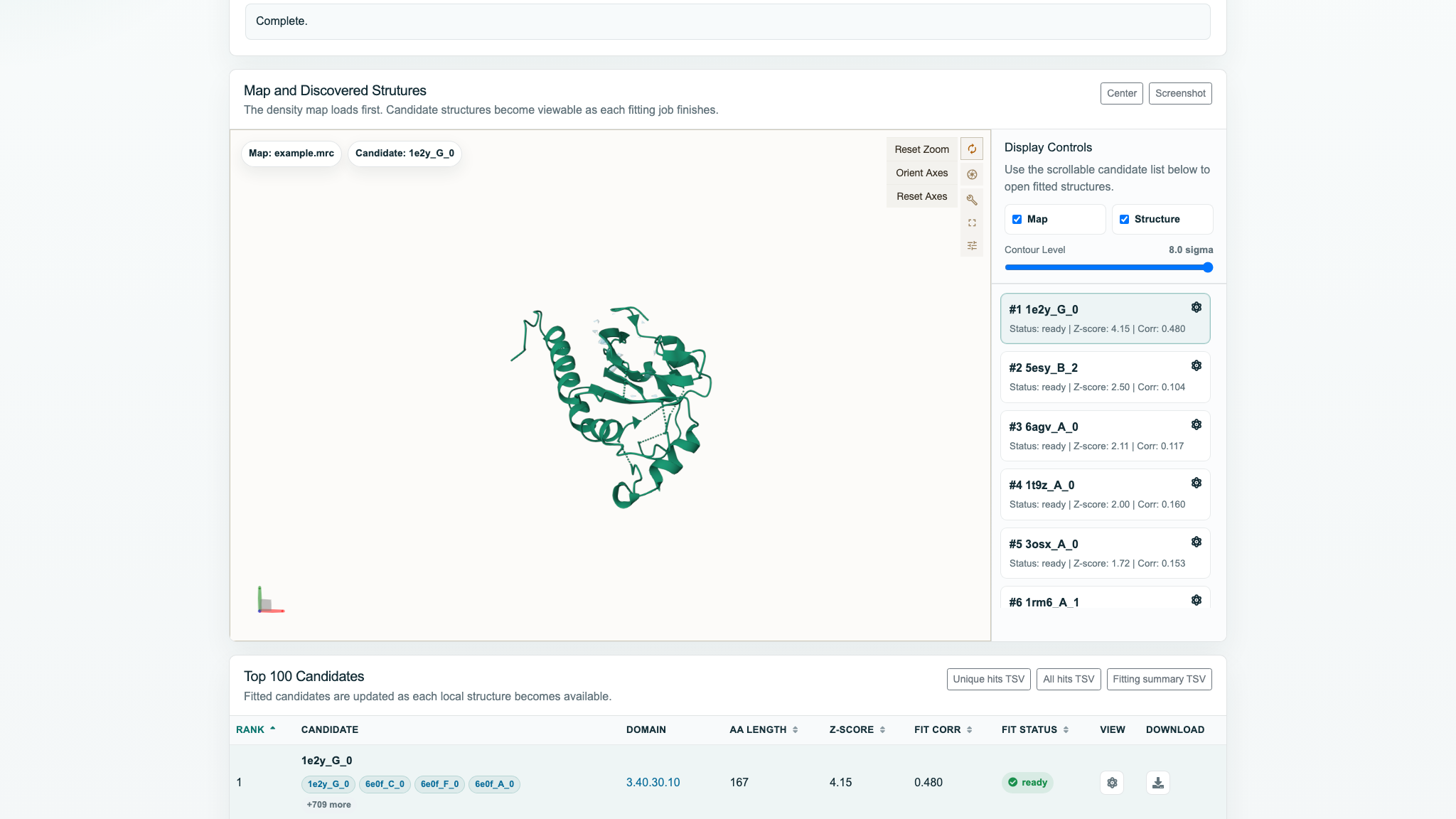
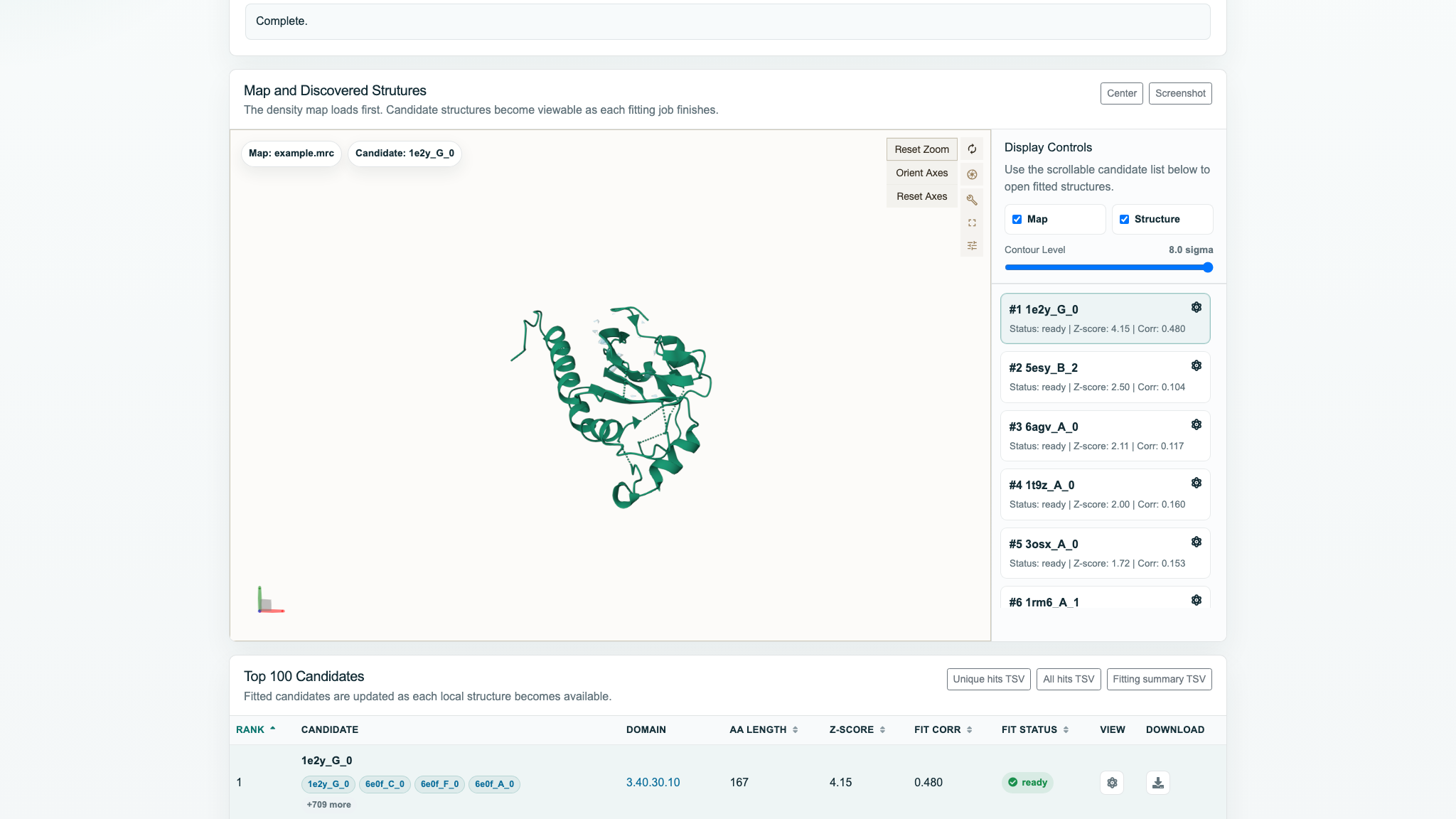
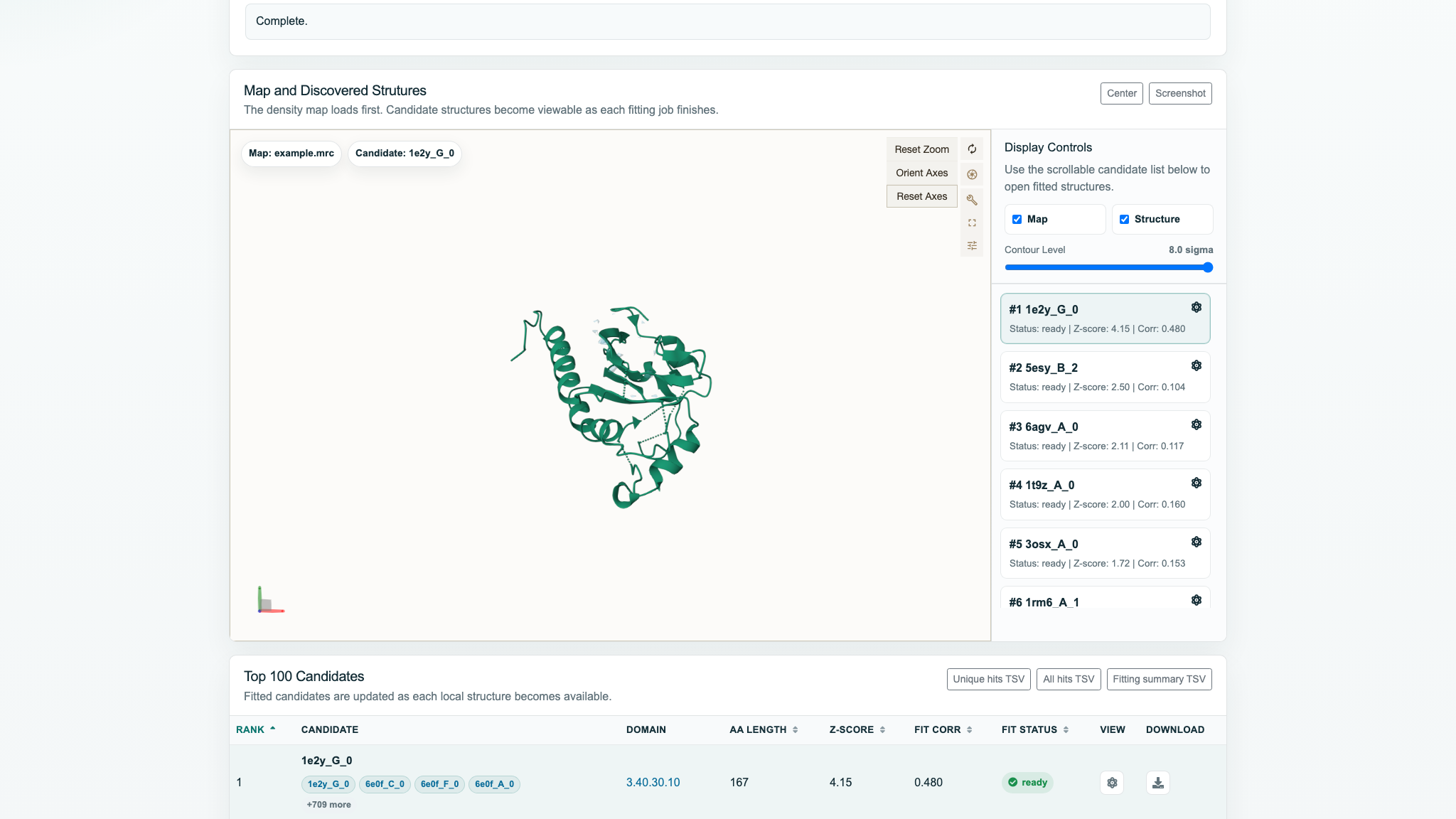
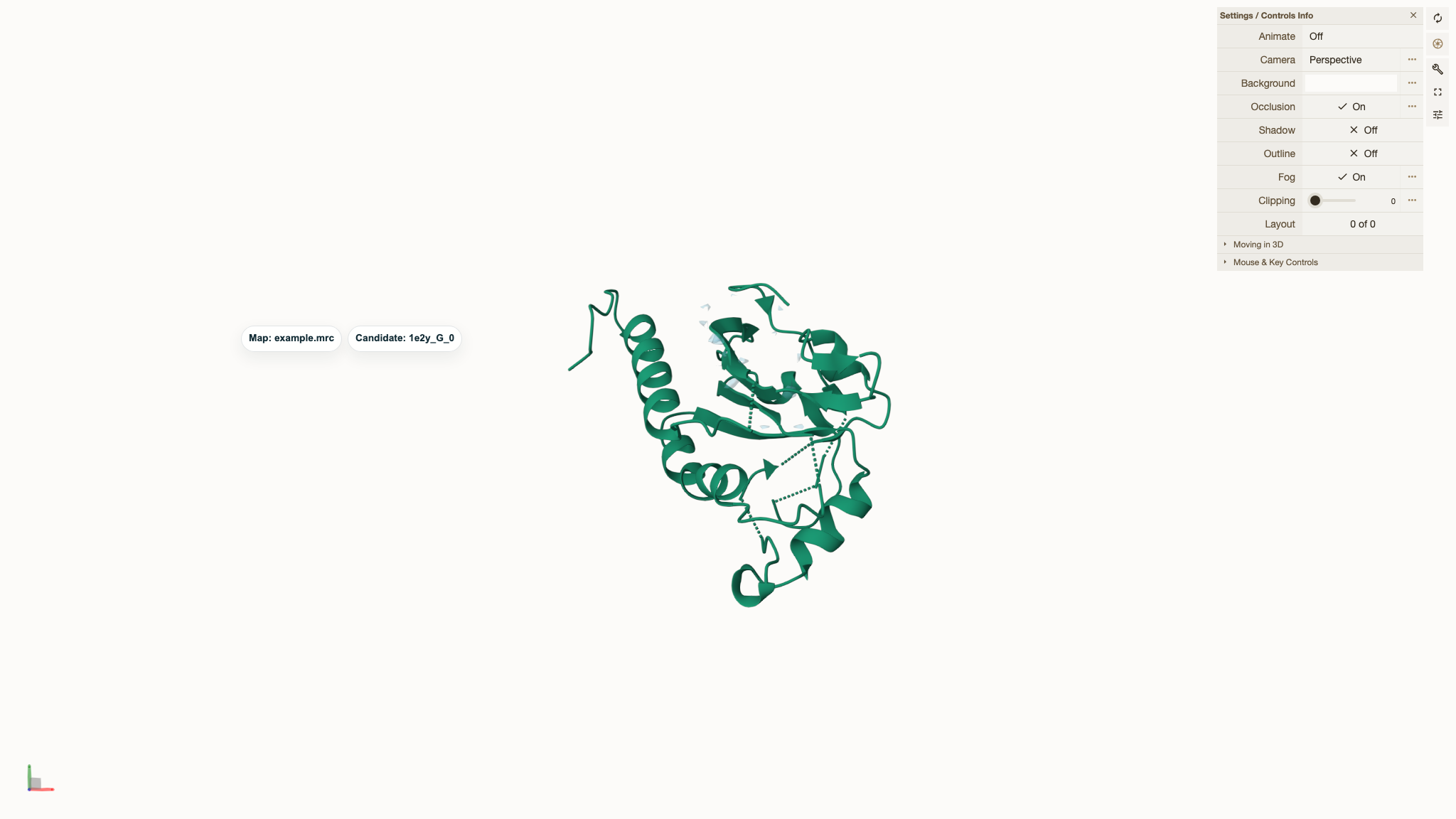
- Camera / Reset Zoom: fit the visible scene; its menu also includes Fit Visible Scene, Orient Axes, and Reset Axes.
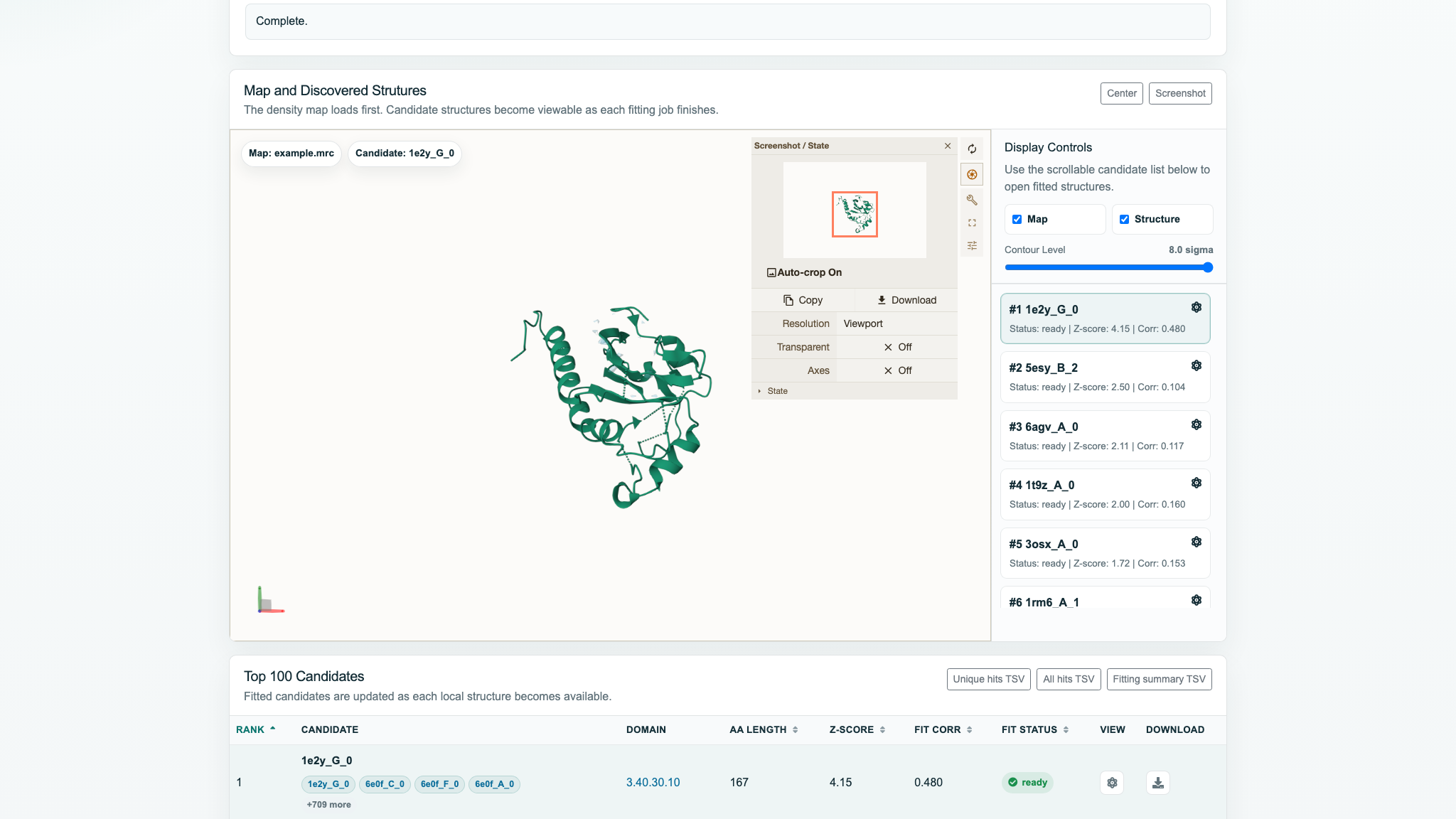
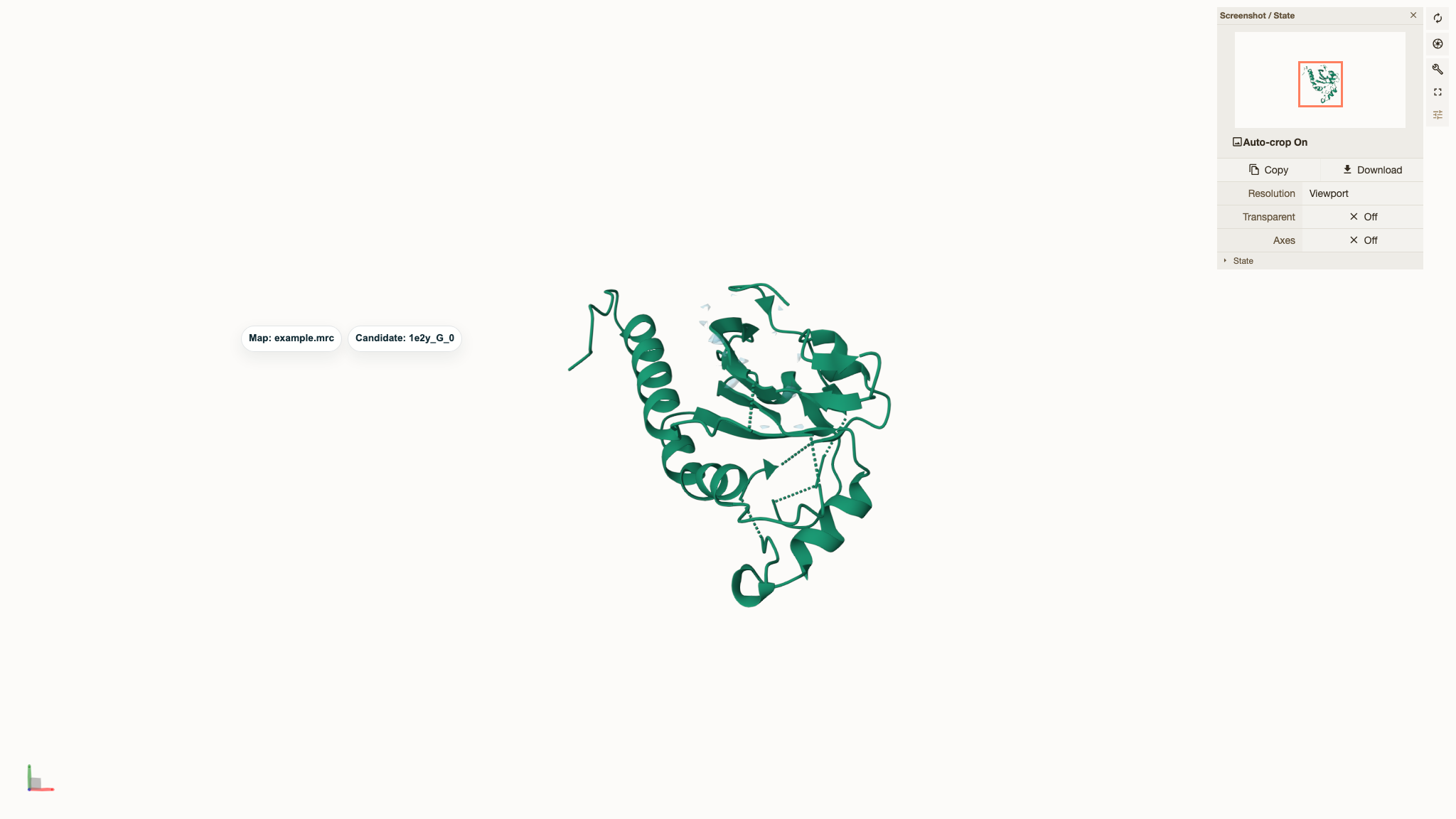
- Screenshot / State Snapshot: opens Mol*'s screenshot/state panel; this differs from the one-click page button.
- Toggle Controls Panel: shows or hides Mol* controls.
- Toggle Expanded Viewport: switches between embedded and expanded views.
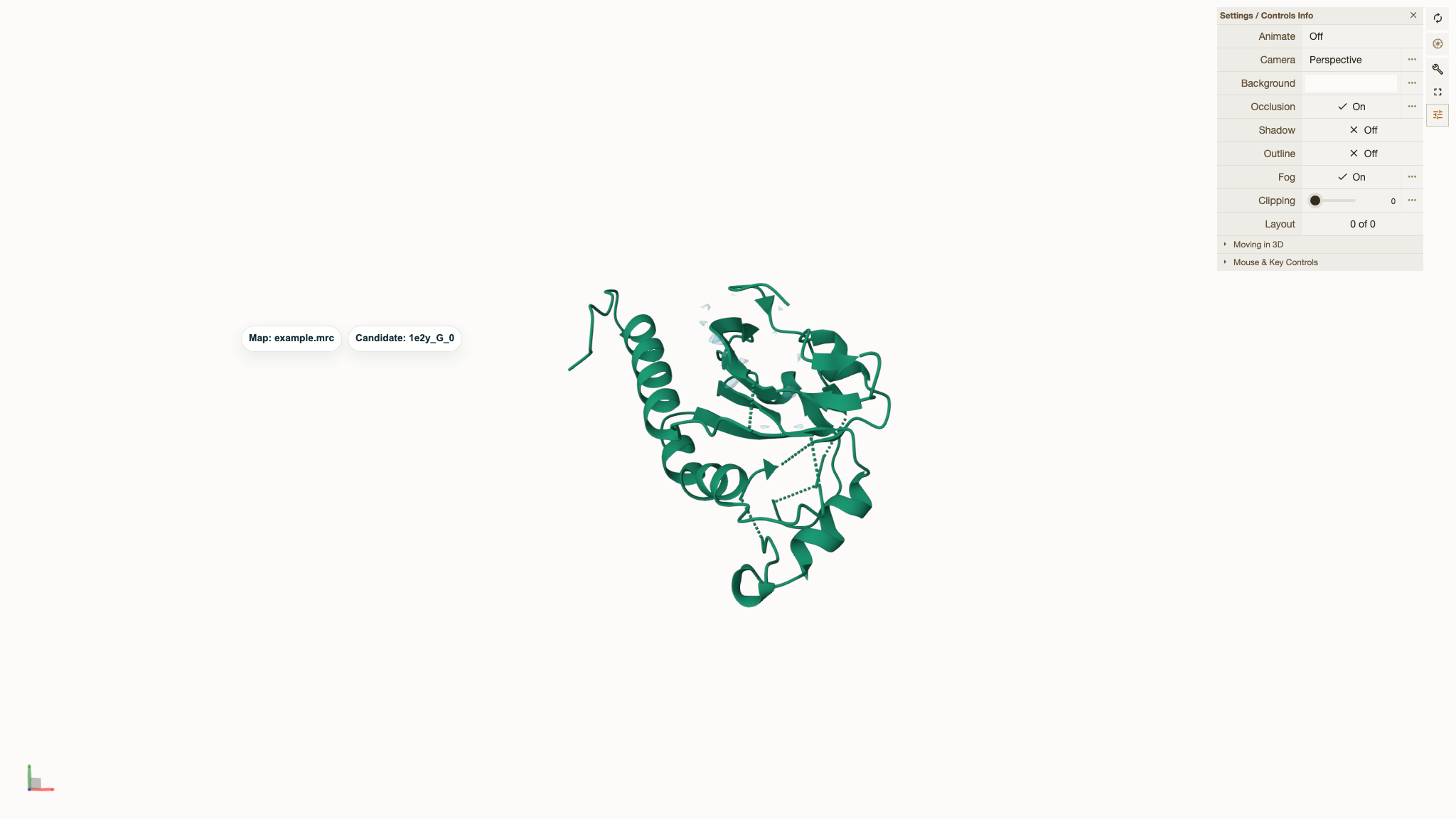
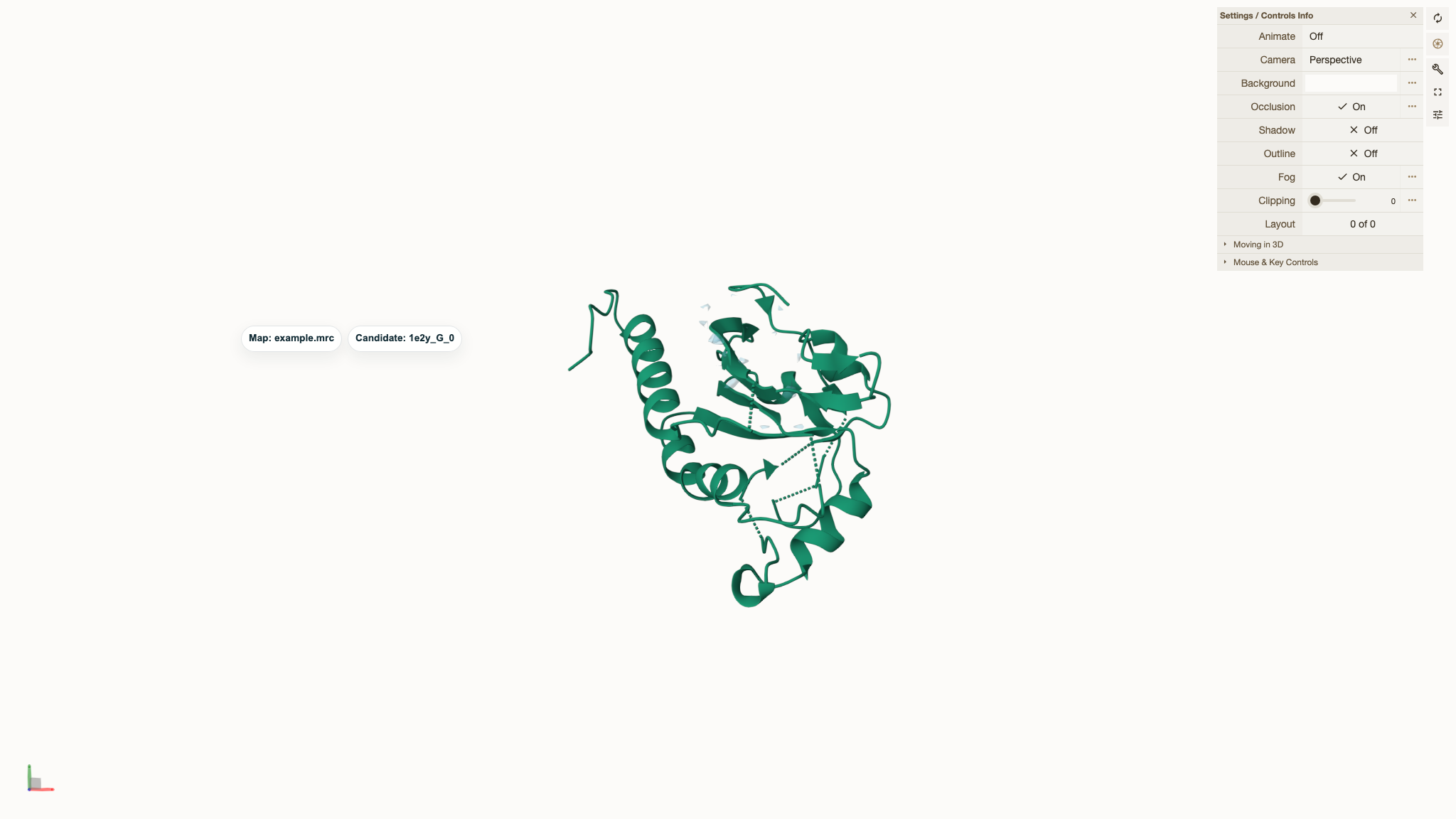
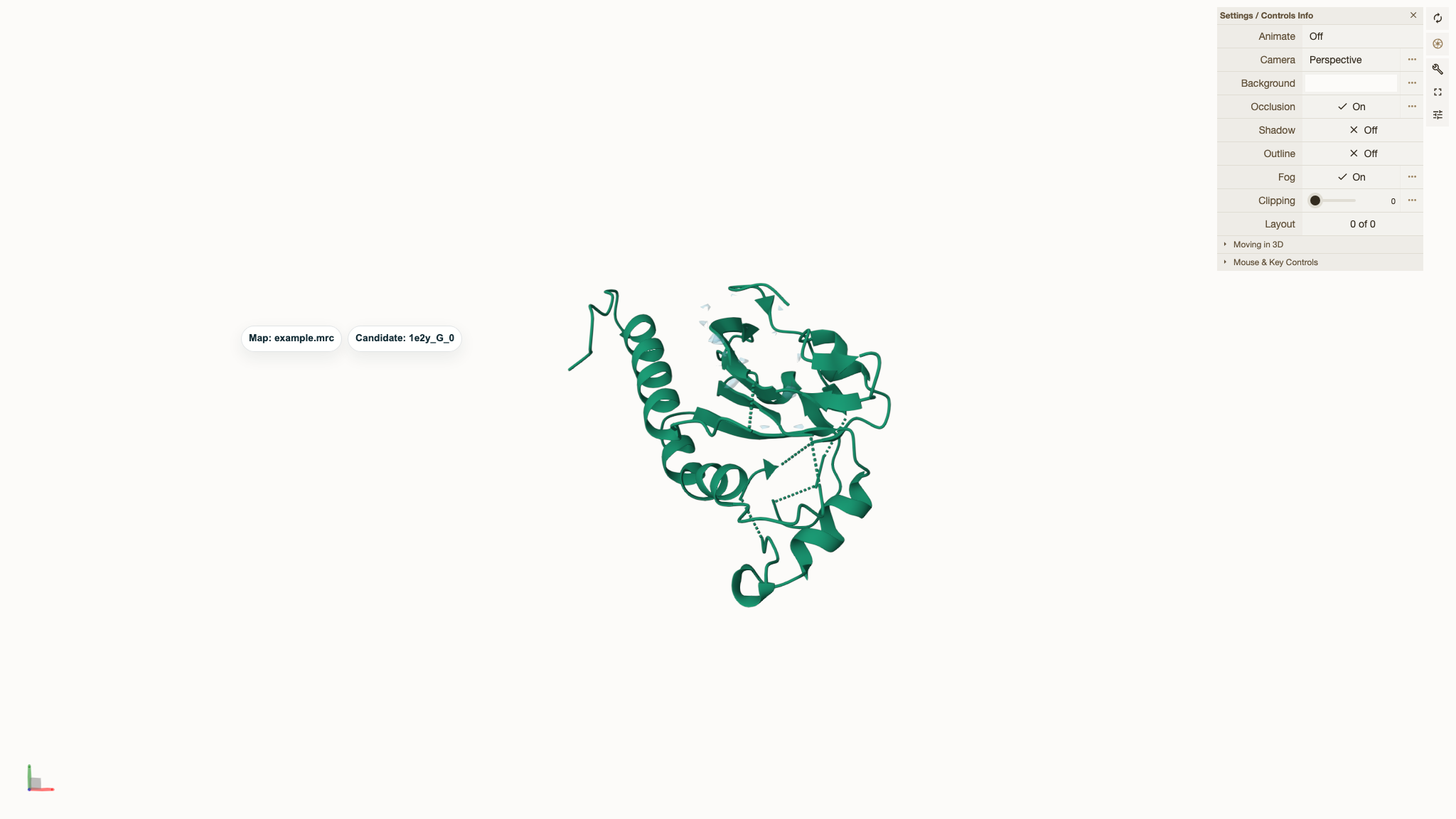
- Settings / Controls Info: opens rendering settings and interaction help.
Read and download candidates
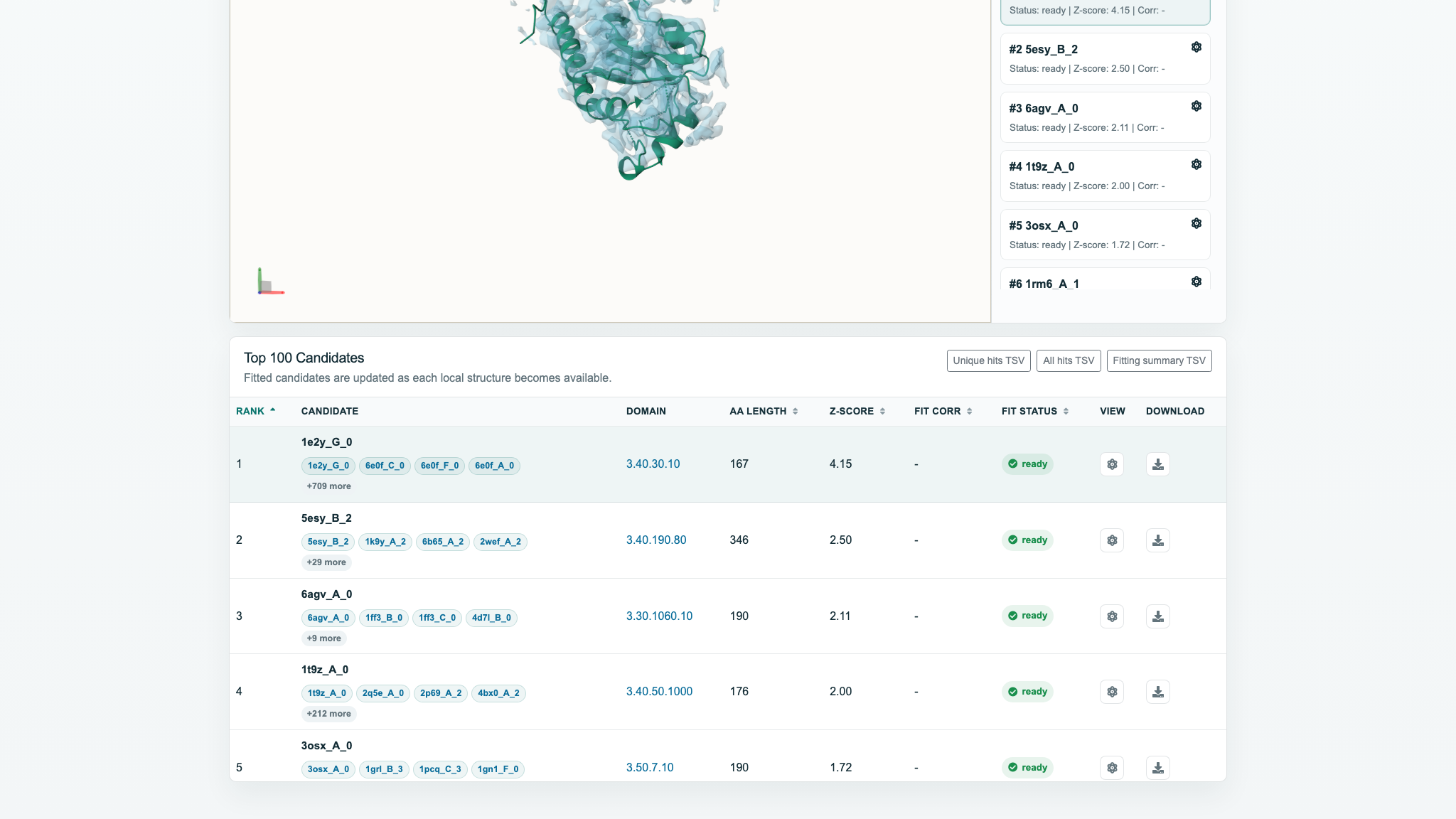
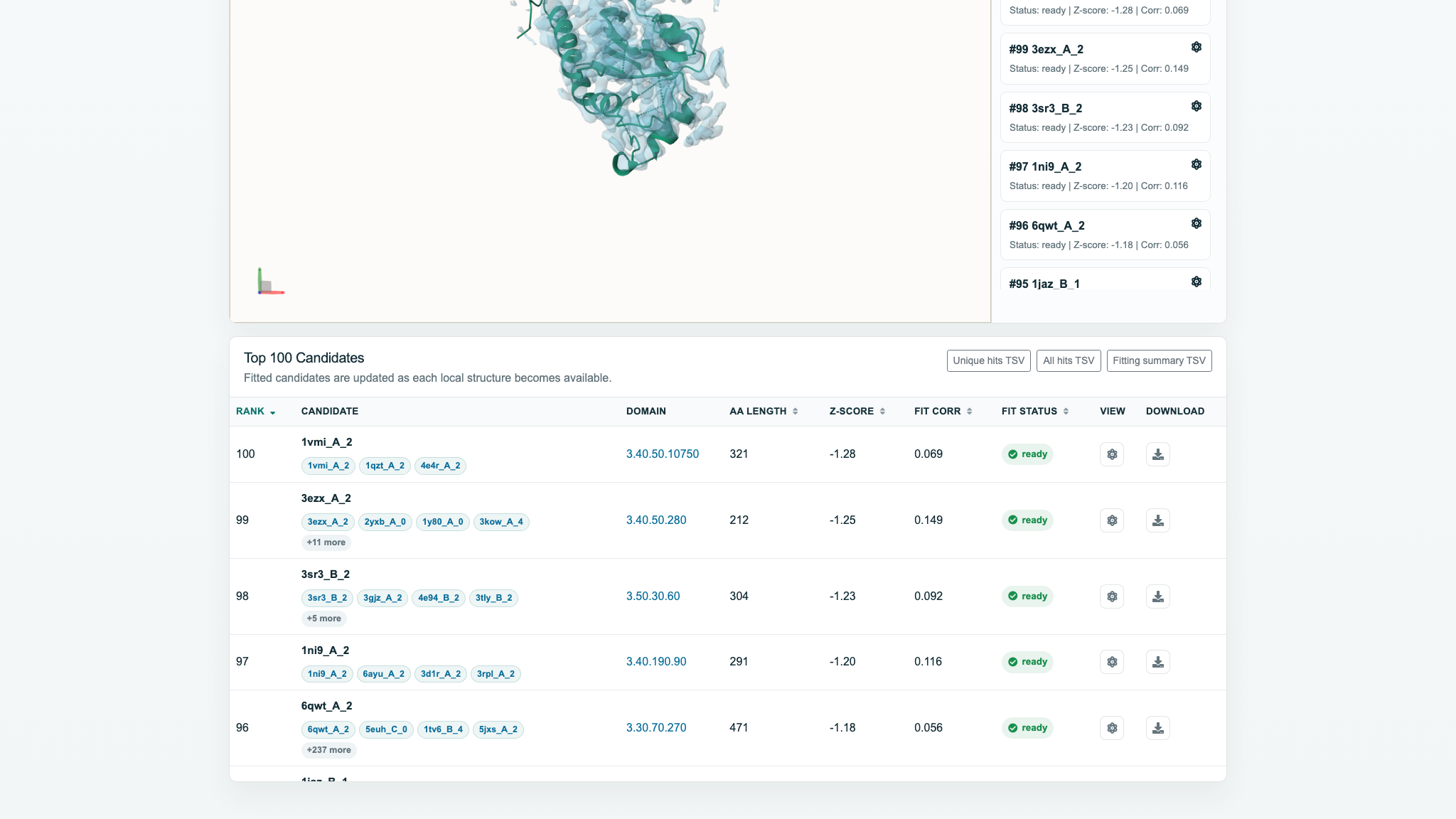
Candidate cards display rank, name, status, Z-score, and Corr. The first fitted candidate opens automatically. A ready card and its table View button run the same loading action; controls are disabled before fitting finishes.
| Field | Confirmed behavior |
|---|---|
| Rank | Current candidate rank; numeric sorting. |
| Candidate | Main name and member tags link to RCSB; four are shown initially, +N more expands all, collapse closes them. |
| Domain | For CATH jobs, links to the corresponding superfamily. |
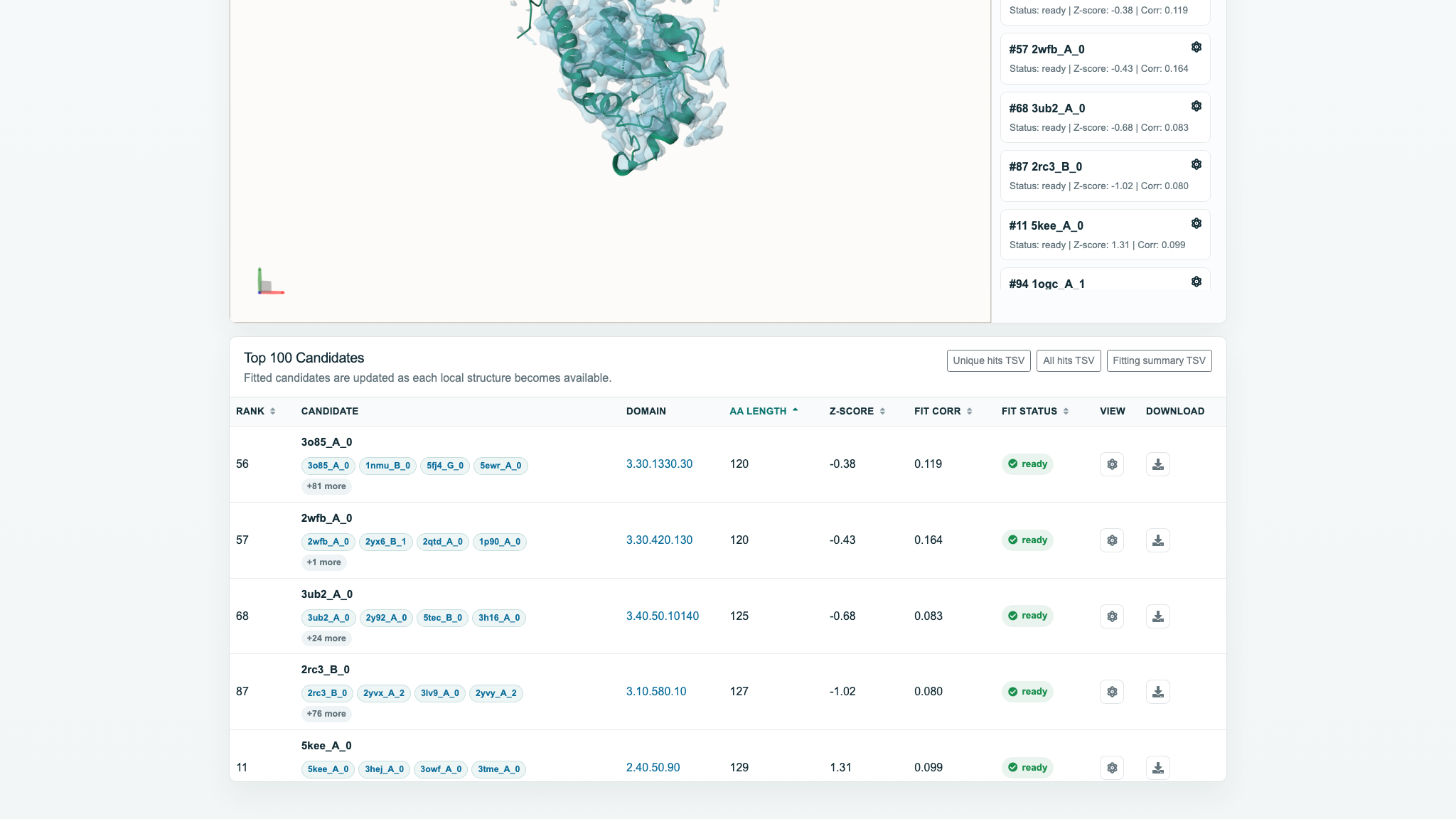
| AA length | 120–1244 in this test; sortable. |
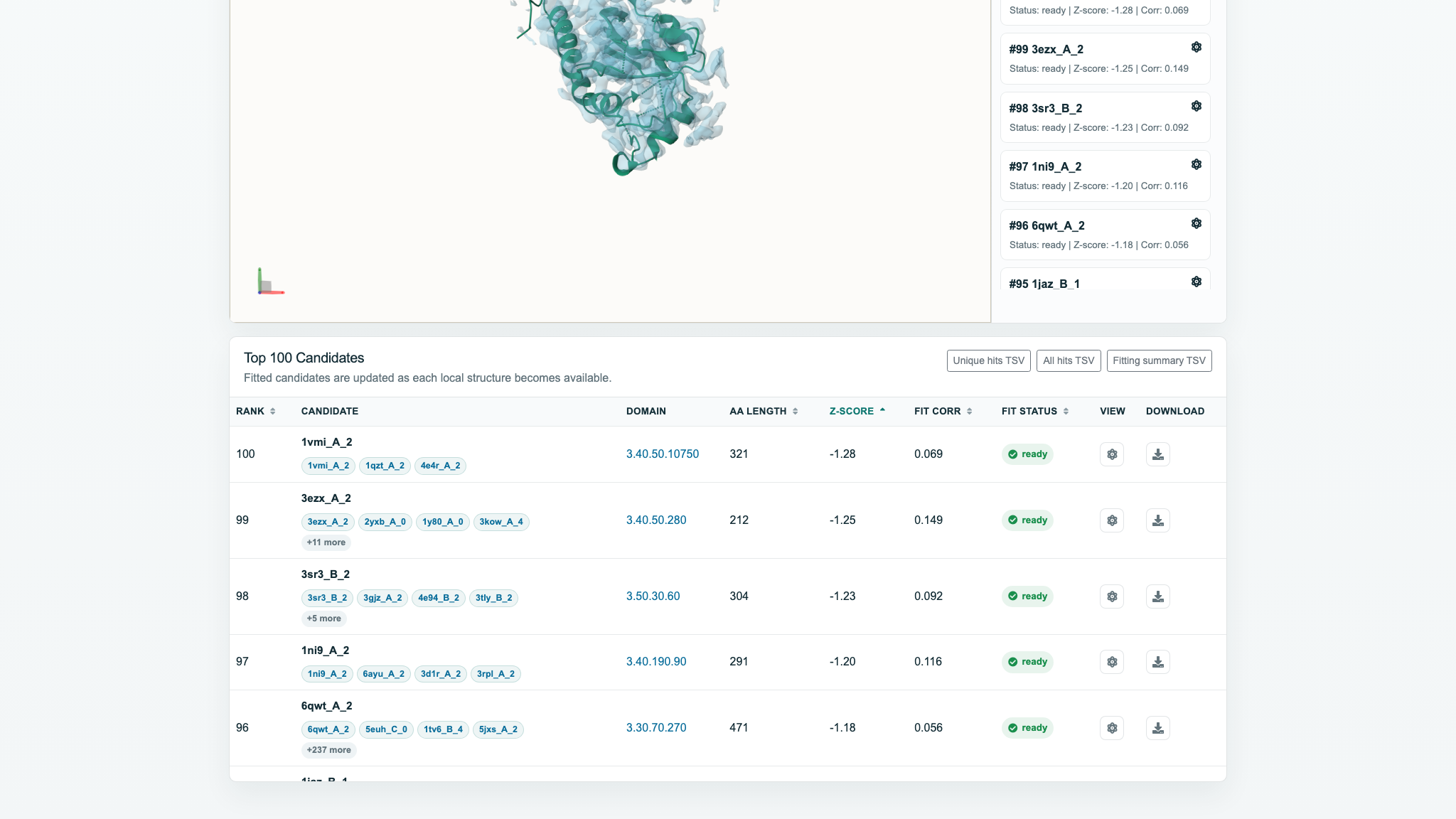
| Z-score | −1.27657–4.15002 in this test; sortable. |
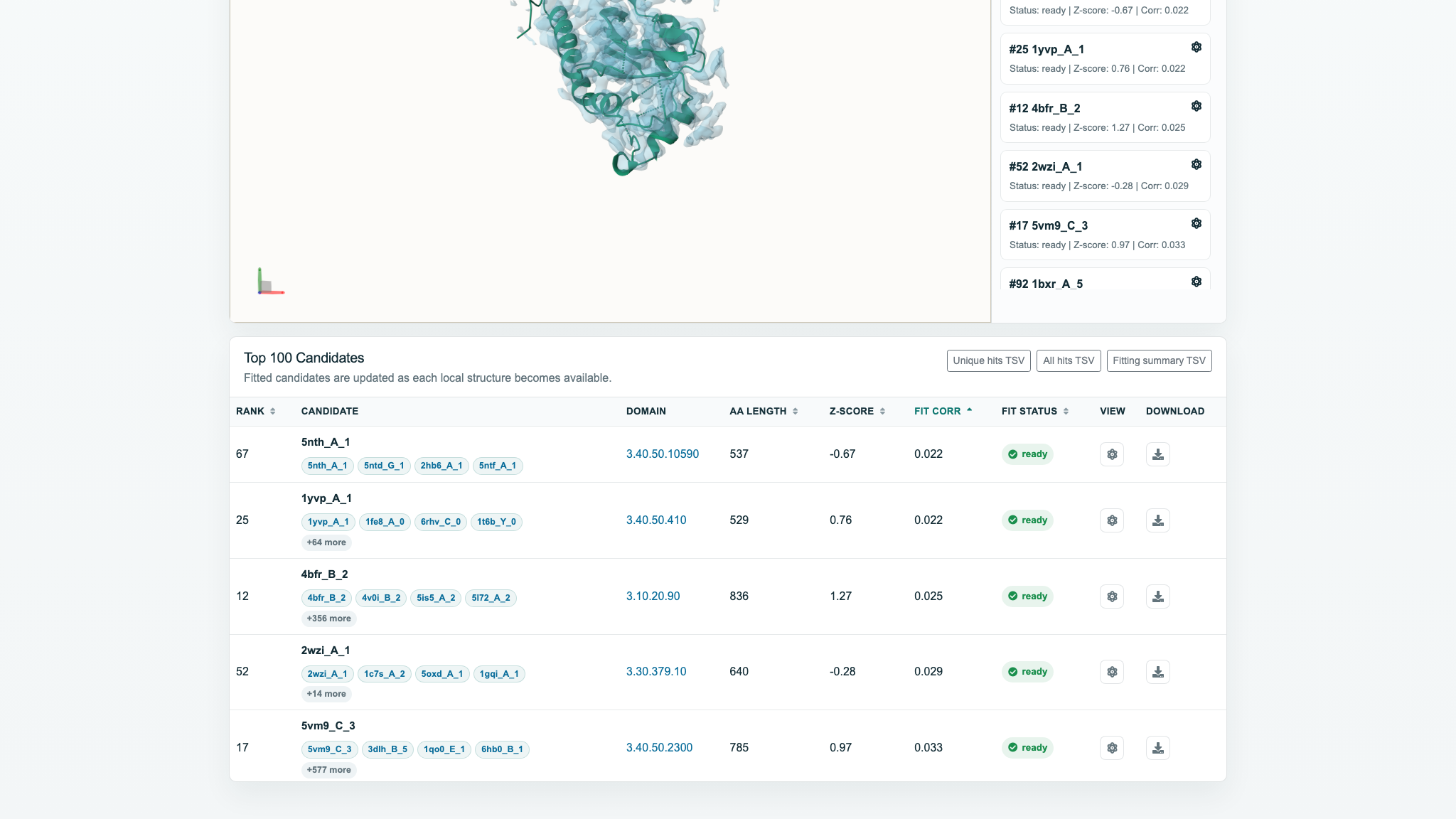
| Fit corr | 0.0220971–0.480273 in this test; sortable; “-” before population. |
| Fit status | fitted, fitting/running, waiting, or another state; sortable. |
| View | Loads a fitted model into the viewer. |
| Download | Opens the fitted PDB/mmCIF resource; it may appear in a new tab. |
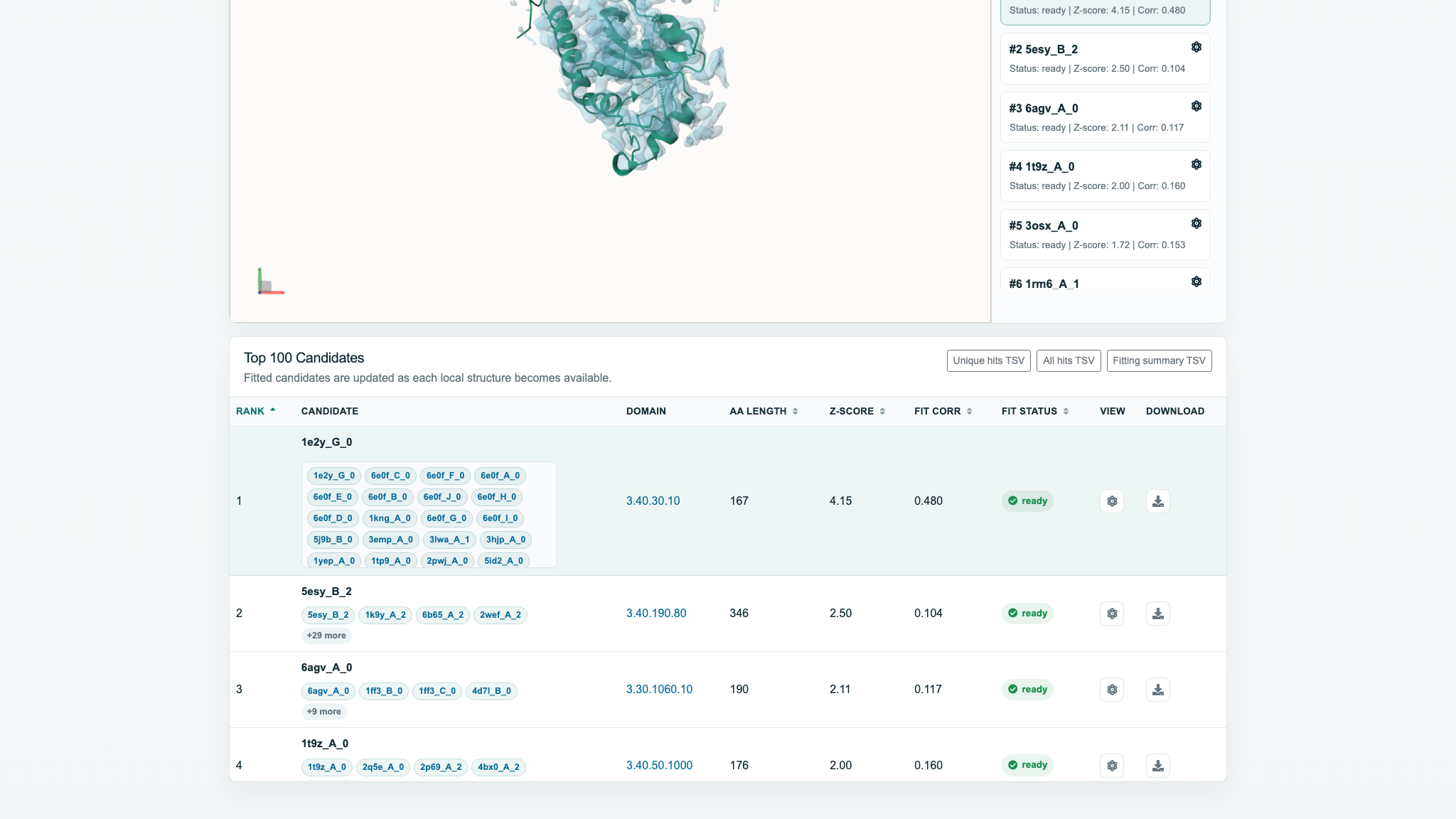
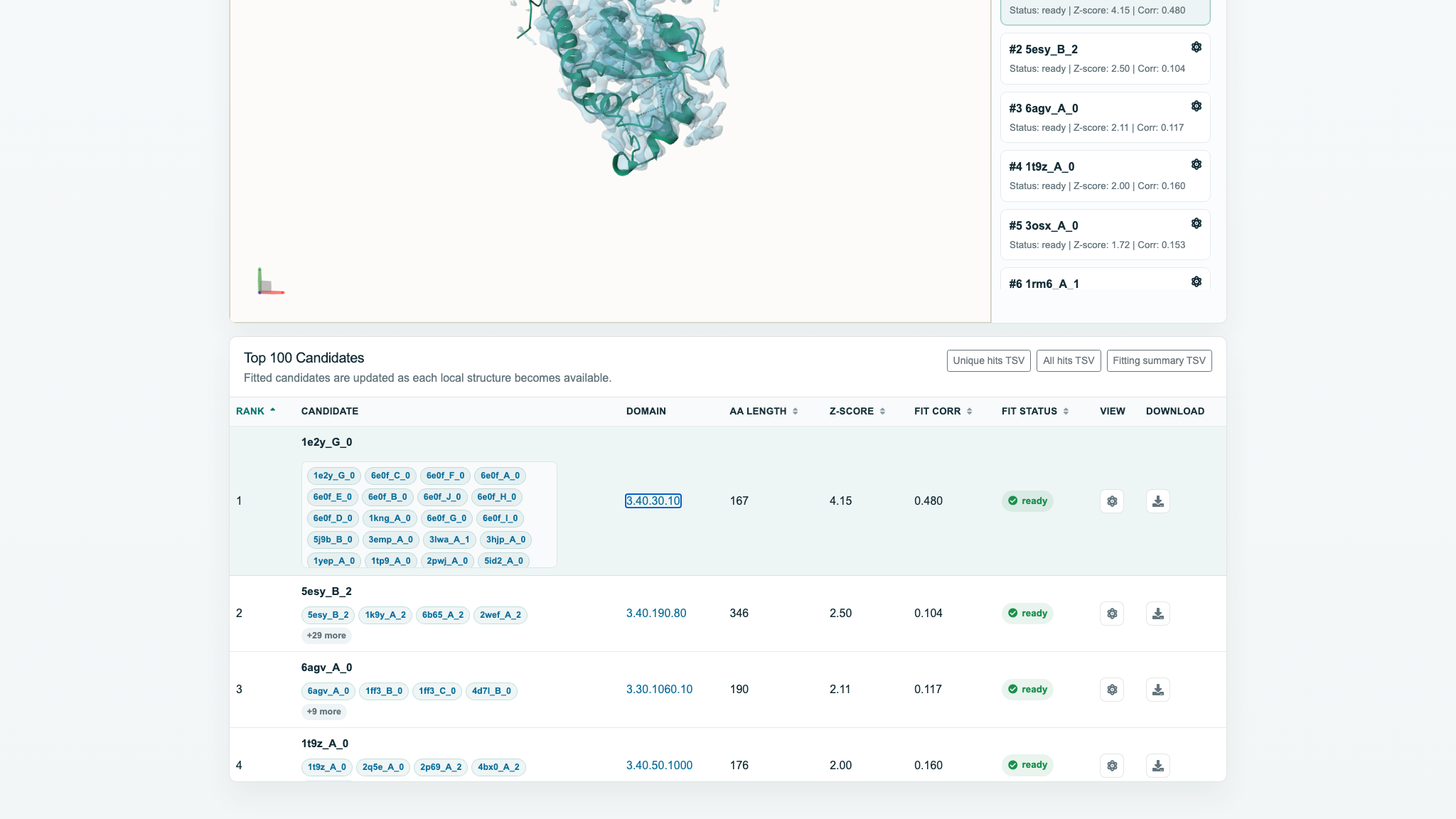
Only Rank, AA length, Z-score, Fit corr, and Fit status are sortable. The first click sorts ascending; the second reverses the order. Missing values remain last. Candidate, Domain, View, and Download are not sortable.
The three TSV files
| File | Rows in this test | Contents |
|---|---|---|
| Unique hits TSV | 100 | Rank / Structrue IDs / Domain ID; one row per nonredundant domain/superfamily. |
| All hits TSV | 78,481 | Rank / Structrue ID / Domain ID / Detail information; every raw retrieval hit, without fitting data. |
| Fitting summary TSV | 100 | Eleven columns including structure path, status, AA length, Z-score, Fit corr, and fit seconds; all rows were fitted. |
Structrue is the server's current header spelling. Candidate PDB links are also inline. The tested PDB content was valid, but the server reported application/vnd.palm; use Save As and retain the .pdb extension when necessary.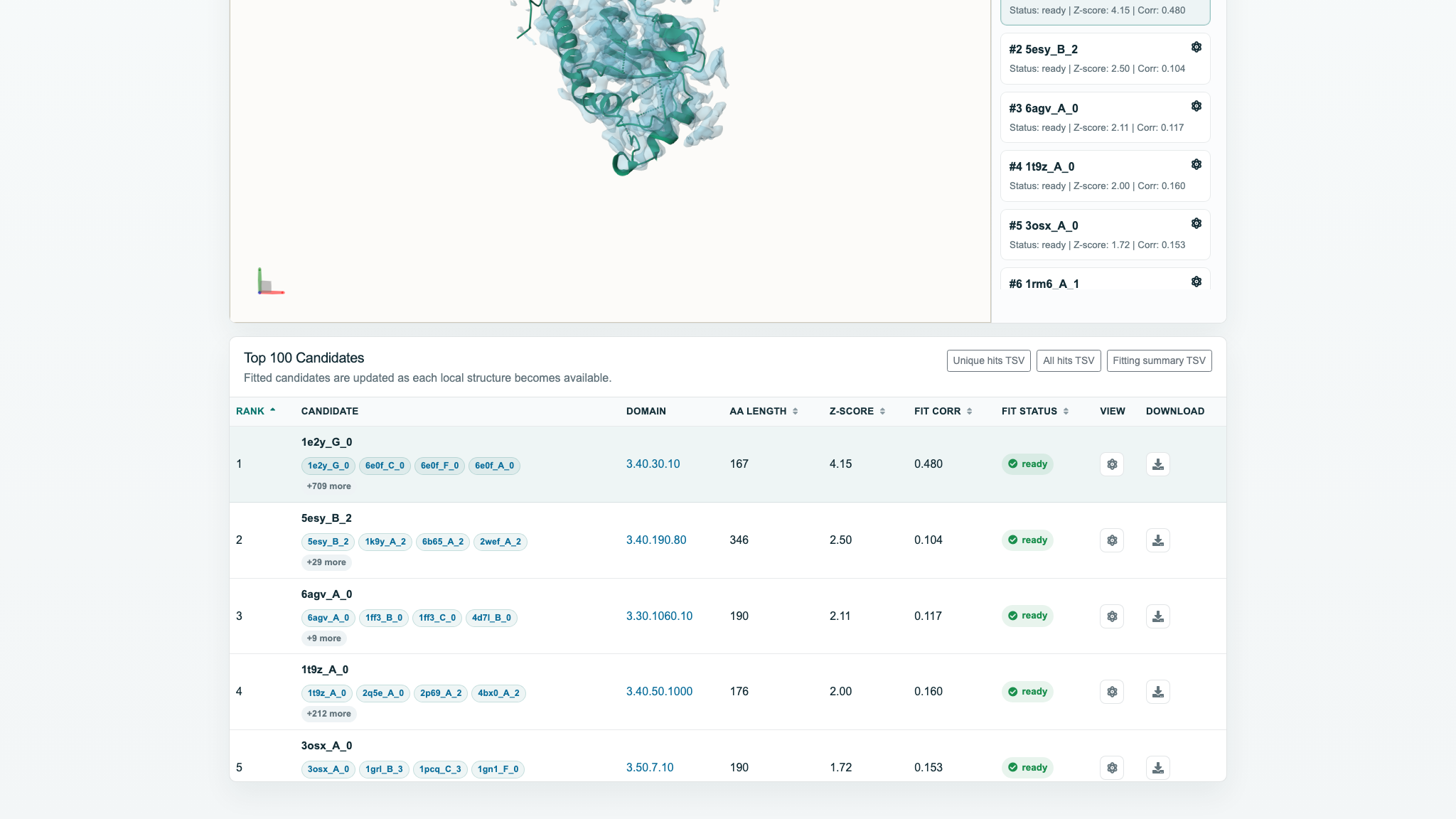
Result assessment checklist
Read the ranked list as converging evidence, then verify the fit against the density and your experimental context.
- Do the leading hits indicate the same or related structural type?
- Does the backbone sit within the main density, with compatible size and shape?
- Within this job, does Fit Corr support the candidate?
- Is the amino-acid length reasonable for the density region?
- Do sample origin, complex composition, and known biology support the interpretation?
Three-way validation
A defensible interpretation should agree on all three signals.
Several leading hits converge on the same fold or structural family.
The backbone remains inside continuous density across sensible contour levels.
Length, sample origin, composition, and known function support the model.
8. Troubleshooting
Submit is disabled
Select a supported .mrc, .map, or .ccp4 file. Refresh and select the file again if needed.
Upload stalls or reports an error
Check the network and file size, keep the page open, and retry. Record the time, browser, file size, and error if the problem persists.
Results remain waiting
Retrieval and per-candidate fitting are separate stages. Reopen the saved URL later; provide the Job ID to maintainers if nothing changes for an unusually long time.
The 3D view is blank
Click Center, enable Map, and adjust Contour Level. A structure is available only after its candidate becomes ready.
Fit Corr is “-”
Correlation may be populated after Complete / 100 fitted. Because polling can already have stopped, manually refresh the result page.
Download only opens a new tab
The server currently returns inline resources. Use Save As and preserve the .pdb/.cif/.mmcif or .tsv extension.
WebGL is unavailable
Mol* requires WebGL. Reopen the result in a hardware-accelerated browser. This does not mean retrieval or fitting failed.